
readywhen
readywhen automatically captures your decisions and commitments from tools you already use, then drafts your next steps so you just approve.
Visit
About readywhen
readywhen is an AI-powered productivity tool designed for founders, leaders, and anyone who makes commitments across multiple platforms throughout their workday. It solves a universal problem: promises made in conversations have no home, so following through depends entirely on you remembering. Your head is no place to run a business. readywhen works like the most senior person in your business, never starting from scratch. It knows what you have promised and where you are heading, and it has an opinion about what that means. The product connects to your existing tools like Slack, Gmail, Notion, and meeting platforms, then learns your business on its own: how you write, what you sell, and who your customers are. You maintain nothing. It catches every commitment you make, every decision and promise from every call, meeting, note, and Slack thread, the moment it is made. Nothing lives only in you. Without being asked, readywhen drafts what is needed next: the brief, the email response, or the update. You just approve. Unlike other AI tools that require you to gather information, give it context, and ask for a summary, readywhen acts proactively. It turns scattered promises into a done list, not a to-do list. Setting it up takes literally minutes, with zero building and no learning curve. You work on the big stuff, and readywhen handles the rest.
Explore more in this category:
Similar to readywhen
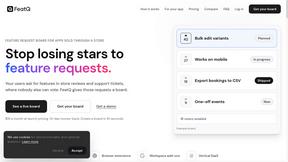
FeatQ
Feature request boards for software teams. Customers vote with just an email; your coding agent pulls the top request over MCP.

ButterShare
Realtime peer-to-peer file transfer in the browser. Send files directly between devices, no account and no upload to a server.

Emailyy
Free email tools for signatures, subject lines, HTML previews, word counts, and email headers. Browser-based, simple to use, and no signup required.
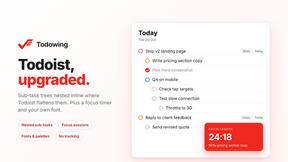
Todowing
Chrome extension that nests Todoist sub-tasks inline in Today, Upcoming, Filters and Labels, where Todoist shows them flat.

Uniclip
Clip pages, take full-page screenshots and batch-capture list data to Notion, Feishu, Obsidian, Markdown, CSV or JSON.
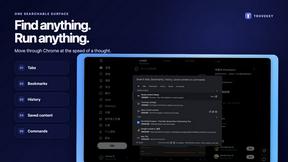
TroveKey
Search tabs, Chrome bookmarks and history, run browser commands, and save webpages and social posts locally—no account.
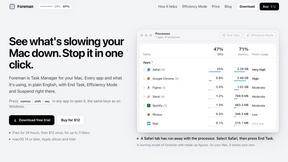
Foreman
See every app and what it's using in plain English, and end or slow down the one that's hogging your Mac.