Seedance 2.1 AI
Struggling to generate smooth, cinematic videos from your ideas? Seedance 2.1 AI transforms text, images, and clips into stable HD drafts.
Visit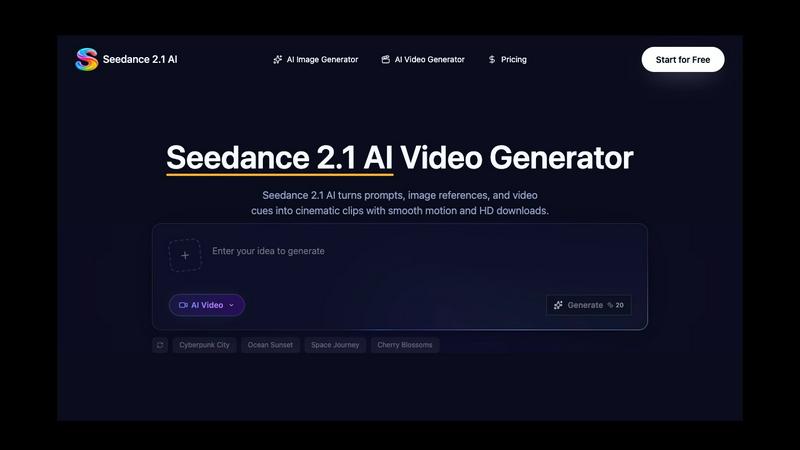
About Seedance 2.1 AI
Creating high-quality video content from scratch is a time-consuming and expensive challenge. You need the right equipment, a skilled team, and hours of editing to produce even a short clip. For marketers, independent creators, and small businesses, this barrier often means settling for static images or generic stock footage that fails to capture their unique vision. Seedance 2.1 AI solves this problem by turning your ideas into professional-grade video drafts directly from your browser. It is an independent workspace where you generate cinematic clips using text prompts, image references, and even video cues. The core value proposition is simple: transform a brief scene description into a high-definition video with smooth motion, consistent character details, and controlled camera movements. Whether you need a cyberpunk cityscape, an ocean sunset timelapse, or a fashion portrait animation, Seedance 2.1 AI handles the heavy lifting. It is designed for social media managers crafting ads, ecommerce teams showcasing product motion, filmmakers storyboarding concepts, and content creators who need rapid visual drafts. The platform offers HD downloads, credit-based control over your usage, and a growing gallery of examples to inspire your next project. With a limited-time launch sale offering 50% off yearly credits, now is the moment to remove the friction from video creation and focus entirely on your creative vision.
Features of Seedance 2.1 AI
Text-to-Video Generation with Cinematic Control
This feature allows you to write a detailed scene brief including the subject, setting, camera movement, mood, and pacing. Seedance 2.1 AI interprets your prompt to shape a coherent video draft that matches your intended style. You can specify a "slow pan across a cherry blossom garden at sunset" or a "fast tracking shot of a cyberpunk car chase through neon-lit streets." The AI handles the rendering of smooth motion, layered depth, and visual continuity across frames, giving you a draft that feels like a real cinematic sequence rather than a random animation.
Multimodal Reference Inputs
You are not limited to text alone. Seedance 2.1 AI accepts text, images, and video references as input. This multimodal approach solves the common problem of the AI misinterpreting your vision. If you have a specific character look or lighting style in mind, upload a reference image to guide the composition. If you want to maintain a certain motion pattern, provide a short video clip. The AI uses these references to align character appearance, wardrobe stability, camera movement, and scene atmosphere, ensuring the output closely matches your creative intent.
Motion and Camera Direction Tools
One of the biggest challenges in AI video generation is controlling how the camera behaves. Seedance 2.1 AI gives you explicit tools to plan and direct camera movements. You can specify pans, push-ins, tracking moves, slow-motion effects, close-ups, and physical action sequences. This feature is critical for creators who need specific pacing for social ads or storyboards. Instead of hoping the AI guesses your desired shot, you dictate the camera language, and the engine renders consistent motion that stays coherent across the entire clip.
HD Download and Credit Control
Once your video draft is ready, you can download it in high definition for use in real projects. Seedance 2.1 AI also provides a transparent credit-based system, allowing you to manage your usage without surprise costs. This feature is essential for teams running multiple iterations or batch generating content for campaigns. You preview drafts, make adjustments, and only spend credits when you are satisfied. The platform acts as a complete workspace from ideation to export, eliminating the need to juggle multiple tools.
Use Cases of Seedance 2.1 AI
Social Media Ad Creation
Marketers and social media managers face the constant pressure to produce fresh video content for platforms like Instagram, TikTok, and YouTube Shorts. Seedance 2.1 AI allows you to generate short, engaging ads from a simple text prompt. Describe your product, the desired mood, and the camera movement, and the AI creates a polished clip ready for editing into an ad campaign. This drastically reduces the time from concept to publish, enabling A/B testing of different visual styles without costly reshoots.
Ecommerce Product Motion Showcases
Static product images often fail to convey the texture, scale, or functionality of an item. Seedance 2.1 AI solves this by generating product motion videos that show the item from multiple angles with smooth rotation or tracking shots. You can input a reference image of your product and a text prompt describing the desired motion, such as a slow 360-degree spin or a dramatic close-up on a specific feature. This creates compelling product visuals for your website, listings, and promotional materials.
Concept Storyboarding for Filmmakers
Before committing to a full production, filmmakers need to visualize scenes, test lighting setups, and communicate their vision to collaborators. Seedance 2.1 AI acts as a rapid storyboard tool. You can generate rough drafts of key scenes using text descriptions and reference images. This allows you to experiment with different camera angles, pacing, and atmospheres without needing a full crew or set. The AI-generated clips serve as a powerful visual reference for pitch decks, funding proposals, or pre-production planning.
Atmosphere and Lighting Studies for Creative Projects
Art directors, game designers, and visual effects artists often need to explore different lighting and atmospheric conditions for their scenes. Seedance 2.1 AI lets you run targeted studies, such as a high-contrast dramatic scene or a soft, diffused nature shot. You can compare how light, reflections, and camera pacing stay coherent across frames. This is invaluable for pre-visualizing the mood of a project, ensuring that the final production aligns with the desired visual tension and texture.
Frequently Asked Questions
What types of prompts work best with Seedance 2.1 AI?
Detailed prompts that include the subject, setting, camera movement, mood, and pacing yield the best results. For example, instead of "a car," write "a red sports car driving on a coastal highway at sunset, slow tracking shot, cinematic mood." You can also combine text with image or video references to guide character look, lighting, and motion more precisely.
Can I use my own images as a starting point for a video?
Yes, Seedance 2.1 AI supports image references as input. You can upload a photo or a piece of concept art, and the AI will use it to guide the composition, character appearance, and scene atmosphere of the generated video. This is especially useful for maintaining brand consistency or recreating a specific visual style.
How do I control the camera movement in my generated video?
You can specify camera movements directly in your text prompt. Use terms like "pan left," "push-in," "tracking shot," "slow motion," or "close-up." The AI is trained to interpret these directional cues and render the video with the requested camera behavior, ensuring the pacing and motion match your creative vision.
Is there a limit on how many videos I can create?
Seedance 2.1 AI uses a credit-based system. You purchase credits, and each video generation consumes a certain number of credits depending on the output quality and length. The platform allows you to preview drafts before spending credits, giving you full control over your usage. The current launch sale offers 50% off yearly credit packs for a limited time.
Similar to Seedance 2.1 AI
Angry Dance Filter
Upload one photo and get a 15-second angry dance video. Free watermarked preview, then optional one-time video packs.
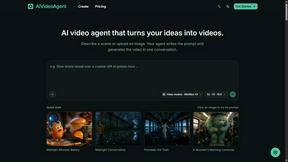
AIVideoAgent
Turn text ideas or reference images into videos through conversation, with agent-assisted prompts and a choice of video models.
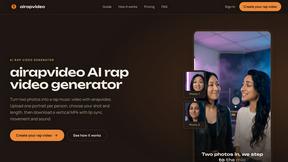
airapvideo
AI rap video generator that turns two portraits into a lip-synced vertical music video for TikTok, Reels, and Shorts.

GenX
All-in-one AI workspace to generate images, videos, and audio with multiple leading AI models.
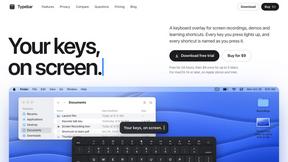
Typebar
Every key you press lights up on an on-screen keyboard, and each shortcut is named. For screen recordings, demos and learning shortcuts.

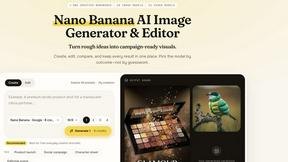
Nano AI
Create and edit AI images, generate videos, and compare models in one creative workbench.