
Seedream 5.0 AI
Seedream 5.0 AI generates stunning 2K images and cinematic videos from text prompts with unparalleled detail and.
Visit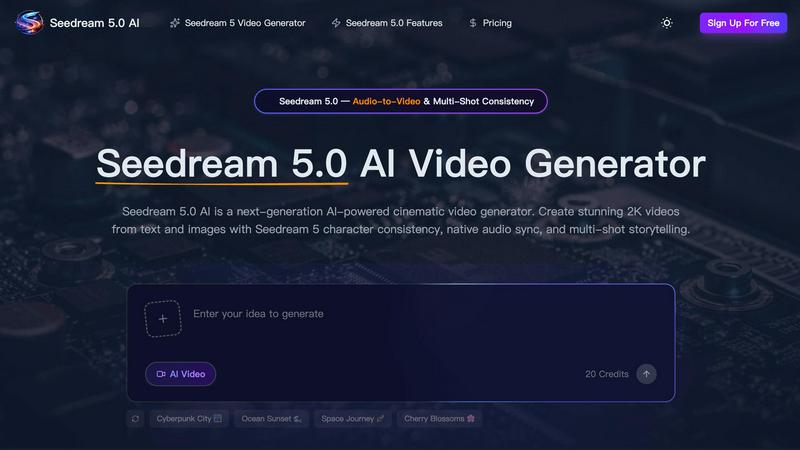
About Seedream 5.0 AI
Seedream 5.0 AI is a transformative fifth-generation diffusion transformer model that takes image generation to new heights. Designed for creators, designers, and teams across various industries, this innovative tool enables the rapid production of professional-quality images and videos from simple text prompts. With its ability to generate stunning visuals in just seconds, Seedream 5.0 AI opens doors to limitless creative opportunities. It currently features a limited-time 50% discount, making it an irresistible choice for those looking to enhance their visual content. The platform utilizes advanced artificial intelligence to interpret complex descriptions and deliver breathtakingly realistic images, making it an essential tool for anyone needing high-resolution graphics. Its primary value proposition lies in its superior resolution capabilities, stunning detail, and user-friendly interface, which together empower users to bring their imaginative concepts to life with unprecedented ease.
Features of Seedream 5.0 AI
2K Resolution Image Generation
Seedream 5.0 AI excels in creating 2K resolution images that showcase exceptional detail, making it possible to generate portraits, landscapes, or product shots with photography-grade quality, ensuring that visuals stand out.
Advanced Prompt Comprehension
This tool features an advanced understanding of complex prompts, allowing it to accurately interpret intricate descriptions, including spatial layouts, lighting, and artistic styles, resulting in images that align perfectly with user expectations.
Multi-Subject Scene Composition
Seedream 5.0 AI allows users to compose images with three or more distinct subjects, each maintaining individual traits and natural interactions, thus offering unparalleled control over scene dynamics and visual storytelling.
Natural-Language Image Editing
The platform enables users to upload images and describe edits using natural language. Whether it's style transfer, object removal, or background swaps, users can achieve precise results with simple, intuitive commands.
Use Cases of Seedream 5.0 AI
Character Design for Games and Animation
Game developers and animators can utilize Seedream 5.0 AI to swiftly create character designs that meet specific artistic styles and attributes, enhancing their workflow and speeding up the development process.
Marketing and Promotional Materials
Marketers can generate eye-catching visuals for campaigns, social media posts, and promotional materials in mere seconds, ensuring that their content is not only timely but also visually appealing and professional.
Product Photography for E-Commerce
E-commerce businesses can leverage Seedream 5.0 AI to create stunning product images that attract customers. High-resolution visuals can be generated from text descriptions, offering a cost-effective alternative to traditional photography.
Visual Storytelling for Content Creators
Content creators can craft compelling narratives through visuals by generating scenes with multiple subjects, intricate details, and various artistic styles, enhancing their storytelling capabilities across platforms like blogs and social media.
Frequently Asked Questions
How does Seedream 5.0 AI generate images?
Seedream 5.0 AI utilizes advanced diffusion transformer technology to interpret text prompts and convert them into high-resolution images. The AI processes the prompt in real-time, producing visuals that match the specified requirements.
Can I edit images after generation?
Yes, Seedream 5.0 AI allows users to edit images using natural language commands. You can perform actions like style transfers, object removals, or background swaps simply by describing what you want to change.
What resolution can Seedream 5.0 AI produce?
The platform generates images at a stunning 2K resolution (2048×2048), ensuring that every detail, from skin textures to fabric patterns, is captured with photography-grade quality, suitable for professional use.
Is Seedream 5.0 AI suitable for beginners?
Absolutely! Seedream 5.0 AI is designed to be user-friendly, meaning no prior design experience is necessary. Users can easily create high-quality images and videos by simply entering text prompts and configuring basic settings.
Explore more in this category:
Similar to Seedream 5.0 AI
Drawcil
Turn that photo you want into a 4-step drawing lesson.
QSharpener
Is your QR code blurred or unreadable? Fix and scan blurred QR codes online with AI & mathematical deconvolution. Restore any blur QR code to crystal
Outstanding Tiny Desk AI
Upload photos of you and up to 4 friends and get a 15-second Tiny Desk AI video with AI-generated sound, 9:16 for TikTok, Reels and Shorts.

Tip Toeing in My Jordans
Put your photo in the viral Rumpelstiltskin tip toe meme and get a 12-second AI video.
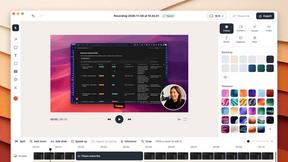
ScreenOtter
A Mac app for screen recordings and screenshots. A zoom on every click, captions made on your Mac, and eight camera layouts. Free to use, pay once.

VD6S
VD6S is a free online YouTube video downloader that supports HD, 4K and up to 8K downloads. Save videos in MP4 or audio in multiple formats.
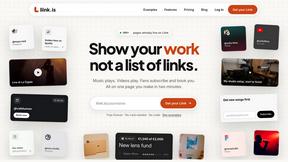
Liink
Create a visual link-in-bio page for free
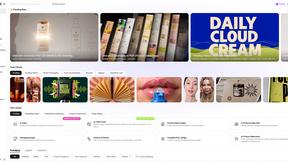
Rhinobird
AI video ads, UGC-style videos, and product visuals for cross-border sellers and e-commerce brands.