
SpeedTestry
Stop guessing your internet speed; get an accurate, independent test in under 30 seconds with SpeedTestry.
Visit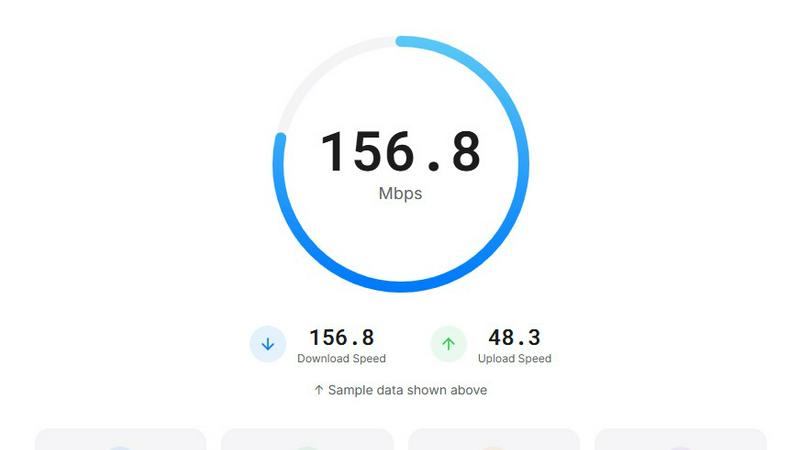
About SpeedTestry
In today's connected world, a slow or unreliable internet connection can be a major source of frustration, disrupting everything from work video calls to family movie nights. You might suspect your Internet Service Provider (ISP) isn't delivering the speeds you pay for, but how can you prove it? Many ISP-provided speed tests can be biased, offering optimistic results that don't reflect your real-world experience. This lack of a trustworthy, independent verification tool leaves users feeling powerless and uncertain about their own network.
SpeedTestry solves this core challenge. It is a completely free, independent, and highly accurate internet speed testing tool designed to give you the unvarnished truth about your connection. Built for everyone from remote workers and online gamers to everyday households, SpeedTestry provides precise, actionable data in under 30 seconds. By leveraging a global network of servers, it measures your true download and upload speeds, ping (latency), and jitter (connection stability). This empowers you to effectively troubleshoot issues, hold your ISP accountable for their promises, and make informed decisions to optimize your online activities for a smoother, more reliable digital life.
Features of SpeedTestry
Independent and Unbiased Testing
SpeedTestry operates completely independently from any Internet Service Provider (ISP). Unlike tools like the Spectrum speed test, which are provided by the ISP itself, SpeedTestry offers unbiased results free from potential interference or data shaping. This independence guarantees you receive a true and accurate picture of your actual internet performance, not an inflated or managed reading, allowing for honest verification of your service plan.
Comprehensive Connection Analysis
The tool goes beyond basic speed checks to deliver a full diagnostic of your connection. It provides detailed metrics for Download Speed (for streaming and browsing), Upload Speed (for video calls and file sharing), Ping (critical response time for gaming), and Jitter (stability for smooth calls). This holistic view, presented in an easy-to-understand format, helps you pinpoint the exact nature of any performance issue, whether it's slow downloads, choppy video, or lag in online games.
Privacy-First Approach
Your privacy is paramount. SpeedTestry is built with a strict privacy-first policy. Unlike some ISP tools that may log and utilize your test data, SpeedTestry does not store any personal information. You can run tests with complete peace of mind, knowing your results and connection details are not being tracked, shared with third parties, or used to profile your internet usage.
Global Server Network for Accuracy
To ensure highly accurate and geographically relevant results, SpeedTestry utilizes a worldwide network of testing servers, powered by robust infrastructure like Cloudflare's edge network. This allows the tool to connect you to the nearest and most optimal server, reducing external variables and providing a reliable measurement that reflects how your connection performs with services across the internet, not just within your ISP's internal network.
Use Cases of SpeedTestry
Verifying ISP Service Commitments
Are you truly getting the internet speeds you pay for each month? Many users face the challenge of promised "gigabit" or "high-speed" plans that don't match reality. Use SpeedTestry as an independent auditor. Run a test and compare the results directly against your ISP's advertised plan. This provides concrete evidence to support service complaints or requests for technical support, ensuring you get the value you're paying for.
Troubleshooting Home Network Issues
When your video calls freeze or downloads crawl, is the problem your Wi-Fi, your device, or your ISP's service? SpeedTestry helps you isolate the issue. First, test on a wired Ethernet connection for a baseline. Then, test over Wi-Fi. A significant drop on Wi-Fi points to a local network problem (router placement, interference). Similar poor results on both indicate a likely ISP issue, directing your troubleshooting efforts effectively.
Optimizing Online Gaming and Streaming
Gamers and streamers are highly sensitive to ping (latency) and jitter, which cause lag and buffering. Simply having fast download speed isn't enough. Use SpeedTestry's detailed ping and jitter tests to evaluate your connection's stability and responsiveness. This data helps you decide if your current plan is suitable for real-time applications or if you need to adjust settings, upgrade your service, or contact your ISP about network quality.
Supporting Remote Work and Business Needs
Reliable upload speed and low latency are non-negotiable for remote professionals. Before an important client video conference or a large file transfer, run a quick SpeedTestry check. Confirming your upload speed can prevent embarrassing call quality issues, while verifying overall stability ensures you remain productive. Businesses can also use it to periodically check the health of their office connections.
Frequently Asked Questions
How accurate is SpeedTestry compared to my ISP's speed test?
SpeedTestry is designed for high accuracy by connecting to independent global servers, providing an unbiased view of your internet performance. ISP-provided tests often run within their own network, which can show optimistically high speeds that don't reflect real-world performance to other websites and services. For the most accurate assessment, use SpeedTestry as a neutral second opinion.
Why is my speed test result slower than the speed I'm paying for?
This is a common challenge. The advertised speed is usually a "up to" maximum under ideal conditions. Real-world speed is affected by many factors: Wi-Fi signal strength, home network congestion (other devices using bandwidth), the capabilities of your router, the time of day (network congestion), and the server you're connecting to. SpeedTestry helps identify if the slowdown is local (Wi-Fi) or from your ISP.
What is a good ping or jitter result for gaming?
For online gaming, a low and stable ping is critical. A ping under 20ms is excellent, 20-50ms is good, and above 100ms may cause noticeable lag. Jitter, the variation in ping, should be as low as possible; ideally under 5ms. High jitter causes inconsistent lag, making games feel unstable. SpeedTestry's jitter test is essential for diagnosing these types of connection quality issues.
How often should I run a speed test?
It's wise to run a test periodically to establish a performance baseline for your connection (e.g., once a month). Definitely run a test when you experience consistent slowdowns, before signing up for a new ISP plan, after your plan is installed or changed, and when you suspect your ISP is not meeting its commitments. Regular testing with SpeedTestry helps you track performance over time.