
Tool.Video
Tool.Video offers browser-based video and audio editing tools, including free local processing and AI-powered media generation.
Visit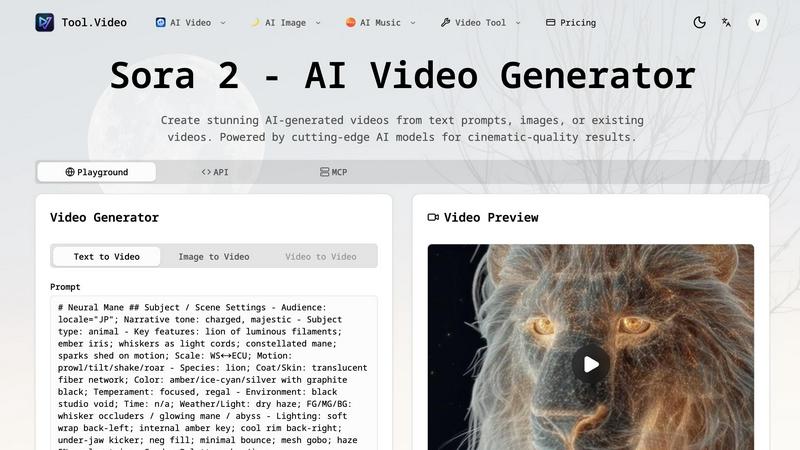
About Tool.Video
Tool.Video brings common video and audio tasks together in a browser workspace. Its free tools include editing clips on a timeline, compressing, trimming and cropping video, trimming audio, and converting video soundtracks to MP3. The site says these local tools process files on your device without uploads or an account; compression supports files up to 200 MB, with a recommendation to start below 50 MB on mobile. Keep the browser tab open while processing.
Editing locally or generating with AI
The product also lists AI services for generating video, images and music, plus thumbnail and watermark tools. Those services have their own usage rules, and the pricing page describes credit-based plans for AI generation. This makes Tool.Video useful for occasional file edits as well as a starting point for AI media work, though users should check each tool's limits and current AI pricing before relying on it.
Features of Tool.Video
- Browser timeline editor with multiple clips, picture-in-picture and an audio track.
- Local video compression, trimming and centered aspect-ratio cropping.
- Audio trimming and video-to-MP3 conversion at 192 kbps.
- Separate AI tools for generating video, images and music.
Use Cases of Tool.Video
- Reduce a video's file size using quality and resolution presets.
- Cut a clip to a chosen segment or prepare square, landscape or portrait framing.
- Extract a video's soundtrack as an MP3 or trim an audio recording.
- Explore AI-generated media through the site's listed generation tools.
Frequently Asked Questions
Are files uploaded for the local tools?
The site says its local video and audio tools process files on your device without uploading them.
Is every tool free?
The local tools are described as free. AI and advanced tools have their own usage rules and credit-based pricing.
What is the video file limit?
The compressor lists a maximum of 200 MB per file and recommends files under 50 MB to start on mobile.
Pricing of Tool.Video
The local video and audio tools are free. AI generation uses credit-based plans; the pricing page lists Starter, Standard and Premium options, with monthly or annual billing.
Explore more in this category:
Similar to Tool.Video

FoxyLab
FoxyLab turns plain-language chat requests into product videos and banner sets, with website context and multiple output sizes.


Flux3Max.io
Flux3Max.io creates short videos with sound from text, photos, or up to 10 keyframes, with 720p and 1080p options.

LobbyClip
LobbyClip makes short two-subject AI videos from separate photos, with people and pet scenes and flexible output formats.

Tiny Desk AI
Make a shareable Outstanding Tiny Desk meme with your photos, friends, and a short AI-generated soundtrack.

Tip Toeing in My Jordans AI
Personalize the Rumpelstiltskin tiptoe meme with photos and generate a 12-second clip in vertical or widescreen format.
ScreenOtter
ScreenOtter is a native Mac app for recording, editing, captioning and sharing screen videos, with automatic zooms and screenshot tools.