

Alternatives to BlueHumanizer
BlueHumanizer solves the problem of stiff AI text by delivering clear, natural writing that preserves your meaning and citations in one click.
20 alternatives found

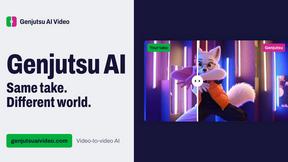
Genjutsu AI Video Editor
AI video-to-video editing for character, outfit, object, and style swaps guided by your source clip and reference images.
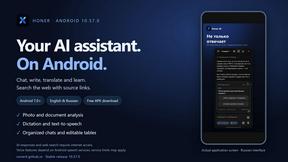
Honer AI
Android AI assistant with chat, web search, photo and document analysis, and voice input.
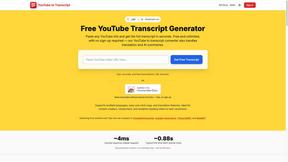
GetYouTubeTranscript
Free YouTube transcripts on the web, a Chrome extension, and an API + MCP server so AI assistants can read YouTube.



Free Gemini Omni
Create, remix, and edit cinematic AI videos online with Free Gemini Omni using text, image, audio, and video prompts.

amaze.directory
Every AI tool here was opened and used on a real task before it went in. Free to submit.

benchmark.directory
We buy the tool, use it on real work for a week, then write down what the pricing page will not tell you. 146 listings so far.

saasgrow.ai
Find SaaS growth tools worth your time. Every tool is reviewed before it's listed, so the shortlist is already made for you.

Tools Network
Tools Network is a curated directory of the best AI tools across 25+ categories. Compare ratings, pricing, and features to find the right one, fast.
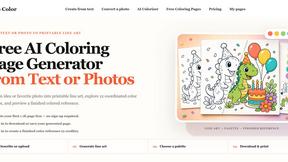
love to color
FROM TEXT OR PHOTO TO PRINTABLE LINE ART Free AI Coloring Page Generator from Text or Photos


Built2WinWeb AI Strength Scanner
Custom PHP websites, AI Indexing Pack ($599 one‑time), and WebAgentScan SaaS ($9/mo). MCP, A2A, llms.txt, full ownership.


dEssence
Save articles, links, videos and notes, then ask in your own words and get sourced answers from your saves.
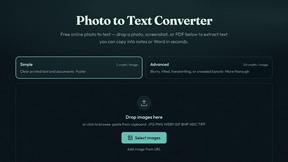
Photo to Text
Free online AI photo to text converter. Instantly extract text from screenshots, handwritten notes, and PDFs into editable Word or Excel files.
About BlueHumanizer Alternatives
BlueHumanizer is an AI writing assistant that specializes in humanizing AI-generated text, making it read like natural, human-written prose. It belongs to the growing category of AI humanizer tools, which are designed to solve the common problem of robotic, stiff, or overly formal output from platforms like ChatGPT, Claude, and Gemini. Users often seek alternatives to BlueHumanizer for a few key reasons: they may need more advanced features beyond basic humanization, such as deeper tone customization or integration with specific platforms; they might be looking for a different pricing model, like a one-time purchase instead of a subscription; or they could require support for niche languages or industry-specific jargon that the tool doesn't fully address. Additionally, some users may want a tool with a stronger emphasis on bypassing AI detection systems, while others prioritize faster processing for high-volume tasks. When evaluating alternatives to BlueHumanizer, you should focus on what matters most for your specific workflow. Look for a tool that preserves your original meaning and intent, as many humanizers simply swap synonyms without improving flow or sentence structure. Check if it offers adjustable humanization levels and tone controls, so you can match the output to your audience—whether that’s academic, professional, or casual. Also consider language support, especially if you work in multiple languages, and whether the tool handles citations and quotes correctly. Finally, think about ease of use and integration: a clean interface, browser extension, or API access can save significant time. By prioritizing these factors, you can find an alternative that truly solves your problems without introducing new ones.
FAQs about BlueHumanizer Alternatives
What is BlueHumanizer?
BlueHumanizer is an AI humanizer tool that transforms AI-generated text into clear, natural-sounding writing with a single click. It works with output from ChatGPT, Claude, Gemini, or any AI writer, and it rewrites the text to improve flow, phrasing, and rhythm while keeping your original meaning, tone, and key points intact. Unlike basic synonym-swapping tools, BlueHumanizer reshapes sentence structure to restore natural writing patterns, and it leaves quotes and citations untouched. It supports over 50 languages and offers adjustable humanization levels and tone controls.
Who is BlueHumanizer for?
BlueHumanizer is built for students, researchers, marketers, and anyone who writes with AI. It is ideal for refining essays, polishing research papers, creating on-brand marketing copy, or warming up everyday emails and reports. The tool is designed to help users produce writing that reads clean, natural, and ready to publish, regardless of their industry or writing background.
Is BlueHumanizer free?
Yes, BlueHumanizer is free to start and does not require a credit card to use. This makes it accessible for anyone who wants to test its capabilities before committing to a paid plan. The free tier allows users to experience the core humanization features and see how it improves their AI-generated text.
What are the main features of BlueHumanizer?
BlueHumanizer offers several key features: it transforms AI text into natural writing in one click, supports over 50 languages, and provides adjustable humanization levels and tone controls. It preserves your meaning, tone, and key points while improving sentence structure and flow, and it keeps quotes and citations untouched. The tool is designed to handle output from popular AI writers like ChatGPT, Claude, and Gemini, making it versatile for various writing tasks.