
BlueHumanizer
BlueHumanizer solves the problem of stiff AI text by delivering clear, natural writing that preserves your meaning and citations in one click.
Visit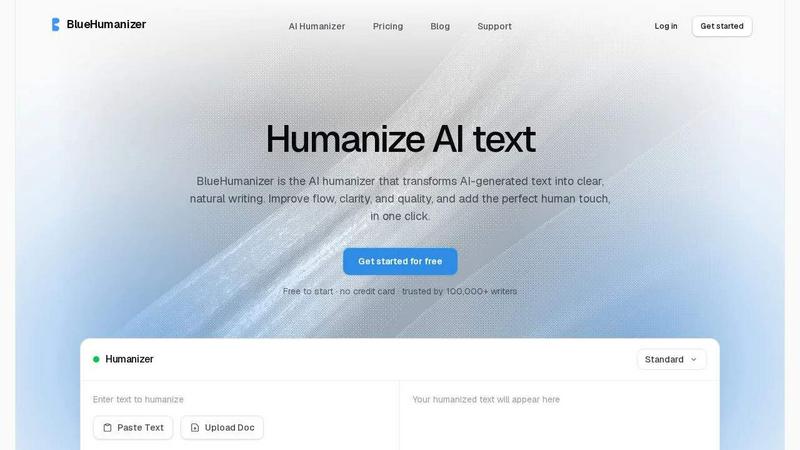
About BlueHumanizer
Every writer who uses AI tools like ChatGPT, Claude, or Gemini faces the same challenge: the output sounds robotic, stiff, and unnatural. You get the ideas you need, but the writing itself lacks flow, rhythm, and that essential human touch. BlueHumanizer solves this problem directly. It is an AI humanizer that transforms AI-generated text into clear, natural writing in a single click. Instead of spending hours manually rewriting awkward sentences, you paste your AI output and get polished, human-sounding prose with better flow and sharper phrasing. Your original meaning, tone, and key points remain intact. Unlike basic tools that simply swap words for synonyms, BlueHumanizer reshapes sentence structure and restores the natural rhythm that makes writing feel authentic. Quotes and citations stay untouched, which is critical for academic and professional work. With support for over 50 languages, adjustable humanization levels, and tone controls, this tool is built for students, researchers, marketers, non-native writers, and anyone who writes with AI. Whether you are refining an essay, polishing a research paper, shipping on-brand marketing copy, or warming up everyday emails and reports, BlueHumanizer delivers writing that reads clean, natural, and ready to publish. It is free to start with no credit card required, and trusted by over 100,000 writers worldwide.
Features of BlueHumanizer
Humanize AI Text in One Click
The core problem with AI-generated text is that it takes too long to fix manually. BlueHumanizer eliminates that friction entirely. You simply copy your text from any AI writer like ChatGPT, Gemini, or Claude, paste it into the tool, and click humanize. There is no setup, no learning curve, and no complicated workflow. The output is clear, polished writing that flows naturally in seconds. This feature is designed for speed and simplicity, so you spend less time editing and more time focusing on your actual work. Whether you are on a tight deadline or just want cleaner drafts, one click is all it takes.
Clearer, Smoother Writing with Restructured Sentences
Most humanizers fail because they only swap words, leaving the same awkward sentence structure in place. BlueHumanizer solves this by reshaping how your text is built. It tightens phrasing, varies sentence rhythm, and improves overall flow so your writing reads smoothly and naturally. The tool does not change what you actually said; it improves how you say it. This means your arguments remain strong, your logic stays intact, and your unique voice comes through clearly. The result is writing that feels effortless to read, whether it is an academic paper, a marketing email, or a blog post.
Keeps Your Intent, Tone, and Citations Untouched
A major frustration with AI humanizers is that they often change the meaning of your text or strip out important quotes and citations. BlueHumanizer is built differently. It preserves your tone, your intent, and your key points, now with cleaner, smoother phrasing. Your quotes, citations, and references stay exactly as they are. Only the writing around them changes. This is critical for students, researchers, and professionals who need to maintain academic integrity and proper attribution. You get the clarity of humanized text without losing the precision of your original work.
Adjustable Humanization and 50+ Language Support
Not every piece of writing needs the same level of humanization. BlueHumanizer gives you control with adjustable strength levels and tone controls. You can dial in the clarity and style each rewrite needs, from a light polish to a full transformation. Additionally, the tool supports over 50 languages with automatic detection and natural, human-sounding output. Whether you are writing in English, Portuguese, French, Hindi, Japanese, or any other supported language, the output sounds fluent and native. This makes BlueHumanizer a global solution for writers everywhere.
Use Cases of BlueHumanizer
Students Refining AI-Assisted Essays and Assignments
Students often use AI to generate ideas and drafts, but submitting raw AI text leads to poor grades and plagiarism flags. The challenge is turning that rough draft into clear, well-structured writing that sounds like the student wrote it. BlueHumanizer solves this by taking AI-generated content and rewriting it into natural, flowing prose. The student keeps their original arguments and research, but the writing now reads cleanly and authentically. This allows students to use AI as a brainstorming tool without sacrificing the quality or integrity of their final submission.
Researchers and Academics Polishing Papers and Abstracts
Academic writing demands precision, clarity, and proper citations. When researchers use AI to draft papers or abstracts, the output often lacks the nuanced flow required for publication. The challenge is refining that text without altering citations or technical accuracy. BlueHumanizer addresses this by polishing the prose while leaving every citation, quote, and reference untouched. The result is a cleaner, more readable paper that maintains its scholarly rigor. Researchers save hours of editing time and can submit work that meets the high standards of academic journals.
Marketers and Content Teams Shipping On-Brand Copy
Marketing teams rely on consistent brand voice and clear messaging. AI-generated copy often sounds generic or off-brand, which undermines campaign effectiveness. The challenge is taking AI drafts and making them sound like they came from a human writer who understands the brand. BlueHumanizer solves this with tone controls that let marketers dial in the exact style they need. Blog posts, emails, and landing pages come out polished, natural, and aligned with brand guidelines. This means faster content production without sacrificing quality or consistency.
Non-Native Writers Making English Flow Naturally
For non-native English speakers, writing fluent, natural-sounding English is a significant challenge. AI tools can help generate content, but the output often contains awkward phrasing or unnatural sentence structures. The challenge is making that text sound like it was written by a native speaker. BlueHumanizer solves this by reshaping sentence structure and restoring natural rhythm. The output reads as fluent and effortless, helping non-native writers communicate more effectively in professional and academic settings.
Frequently Asked Questions
How is BlueHumanizer different from other AI humanizers?
Most AI humanizers simply swap words for synonyms, which leaves the text still sounding robotic and unnatural. BlueHumanizer goes much deeper. It reshapes sentence structure, varies sentence rhythm, and restores the natural flow of human writing. Your original meaning, tone, and key points stay intact, while quotes and citations remain untouched. This approach produces writing that actually reads like a person wrote it, not just a thesaurus replacement.
Does BlueHumanizer keep my citations and quotes safe?
Yes, absolutely. BlueHumanizer is designed to leave your quotes, citations, and references exactly as they are. Only the writing around them changes. This is a critical feature for students, researchers, and academics who need to maintain proper attribution and academic integrity. You can humanize your text with confidence, knowing that your sources and cited material will not be altered or lost.
What languages does BlueHumanizer support?
BlueHumanizer supports over 50 languages with automatic language detection. This includes major languages like English, Spanish, French, German, Portuguese, Japanese, Hindi, Chinese, and many more. The output in each language sounds natural and fluent, not like a machine translation. This makes the tool useful for writers around the world who need to humanize AI text in their native language or in a second language they are learning.
Is BlueHumanizer free to use?
Yes, BlueHumanizer is free to start with no credit card required. You can begin humanizing AI text immediately without any financial commitment. This makes it accessible for students, freelancers, and anyone who wants to try the tool before deciding on a paid plan. The free tier gives you a genuine experience of how the tool transforms your writing, so you can see the value before upgrading.
Similar to BlueHumanizer

Genjutsu AI Video Editor
AI video-to-video editing for character, outfit, object, and style swaps guided by your source clip and reference images.
Honer AI
Android AI assistant with chat, web search, photo and document analysis, and voice input.
GetYouTubeTranscript
Free YouTube transcripts on the web, a Chrome extension, and an API + MCP server so AI assistants can read YouTube.


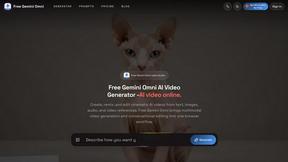
Free Gemini Omni
Create, remix, and edit cinematic AI videos online with Free Gemini Omni using text, image, audio, and video prompts.
