

Alternatives to Calm Your Inbox
Transform email chaos into calm with simple, focused sessions that help you regain control and reduce overwhelm.
20 alternatives found

Bolts
AI employees with a brain and their own cloud computer. They think, remember your business and work 24/7.


GigUp
GigUp helps freelancers discover relevant Upwork jobs through AI matching, automated monitoring, and instant alerts.

Greatooly
Greatooly is a curated directory of small, useful apps — discover focused tools for art, learning, money, health, travel and everyday life.

Safe Outreach
AI-powered platform that evaluates the safety of LinkedIn automation tools and helps reduce the risk of account restrictions.


How Long How Many Tool
Timers and hourly checks to figure how out long until a certain time or how many days away.
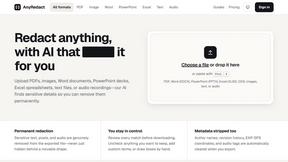
AnyRedact
Free online auto redaction tool with AI for PDFs, images, Word, PowerPoint, Excel, text and audio. Files are never stored.


FeatQ
Feature request boards for software teams. Customers vote with just an email; your coding agent pulls the top request over MCP.
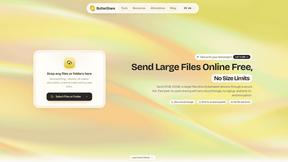
ButterShare
Realtime peer-to-peer file transfer in the browser. Send files directly between devices, no account and no upload to a server.

Emailyy
Free email tools for signatures, subject lines, HTML previews, word counts, and email headers. Browser-based, simple to use, and no signup required.
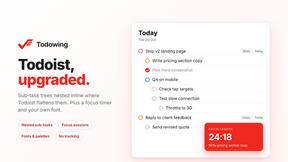
Todowing
Chrome extension that nests Todoist sub-tasks inline in Today, Upcoming, Filters and Labels, where Todoist shows them flat.

Uniclip
Clip pages, take full-page screenshots and batch-capture list data to Notion, Feishu, Obsidian, Markdown, CSV or JSON.

TroveKey
Search tabs, Chrome bookmarks and history, run browser commands, and save webpages and social posts locally—no account.
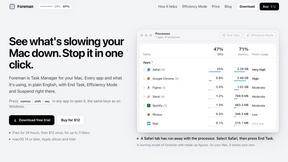
Foreman
See every app and what it's using in plain English, and end or slow down the one that's hogging your Mac.
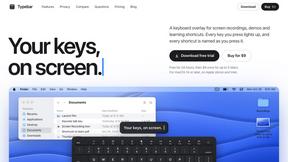
Typebar
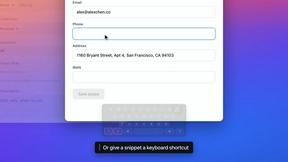
Every key you press lights up on an on-screen keyboard, and each shortcut is named. For screen recordings, demos and learning shortcuts.

Notchpals
Little characters peek out of your Mac's notch to remind you to drink water, eat, sit up and get to bed. Quiet during calls. $4.99 once.

LightScreen
Free fullscreen light screen tool online. Turn any display into a flashlight, ambient light, or solid-color screen. No download or sign-up.
About Calm Your Inbox Alternatives
Calm Your Inbox is a productivity and management tool specifically designed to help users regain control over their email without the overwhelming pressure of achieving inbox zero. By focusing on a streamlined approach, it encourages users to tackle their inbox by starting with just five senders, allowing them to make quick decisions that can lead to significant reductions in their email clutter. This method emphasizes simplicity and efficiency, providing a lightweight solution that makes email management feel attainable. Many users seek alternatives to Calm Your Inbox for various reasons, including pricing structures, desired features, or compatibility with different platforms. When looking for an alternative, it is essential to consider factors such as ease of use, the effectiveness of the decision-making process, and whether the tool aligns with personal productivity goals. A good alternative should also provide a clear path to reducing email overload while offering the necessary support to make the experience feel less isolating.
FAQs about Calm Your Inbox Alternatives
What is Calm Your Inbox?
Calm Your Inbox is a productivity tool designed to help users organize their email without the stress of traditional methods. It allows users to focus on just five senders at a time, facilitating quick and straightforward decision-making to manage large volumes of emails. The aim is to create a more efficient and less overwhelming approach to email management.
Who is Calm Your Inbox for?
Calm Your Inbox is ideal for anyone feeling overwhelmed by their email, whether they are busy professionals, students, or individuals managing personal correspondence. It's particularly beneficial for those who want to simplify their email management process without the pressure of achieving inbox zero or adhering to complex systems.
Is Calm Your Inbox free?
The pricing model for Calm Your Inbox can vary based on features and subscription options, so it's essential to check the official site for the most accurate and up-to-date information. Typically, productivity tools offer trial periods or tiered pricing to accommodate different user needs.
What are the main features of Calm Your Inbox?
Calm Your Inbox features a straightforward approach to email management by allowing users to focus on just five senders at a time. Users can make simple decisions to follow up or move on, which can help clear out dozens or even hundreds of emails at once. The tool is designed to minimize decision fatigue and provide immediate relief from inbox clutter.