

Alternatives to Easymotion - AI Motion Graphic Generator
Stop wasting hours in After Effects; Easymotion lets you create professional motion graphics and map animations by simply chatting with AI.
20 alternatives found
Adobe Alternatives
Explore open-source creative software by workflow, platform and development stage, with comparisons and official project links.
Angry Dance Filter
Upload one photo and get a 15-second angry dance video. Free watermarked preview, then optional one-time video packs.

AIVideoAgent
Turn text ideas or reference images into videos through conversation, with agent-assisted prompts and a choice of video models.

Easemic
Open-source Android comic & manga reader with encrypted cloud streaming and AI ad-page stripping.

LaunchIntel
Your AI agent picks relevant directories, submits your product in your browser and tracks every step. One-time purchase.

airapvideo
AI rap video generator that turns two portraits into a lip-synced vertical music video for TikTok, Reels, and Shorts.
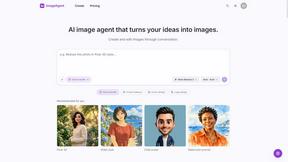
ImageAgent
Create and edit AI images through conversation, using text or reference images and refining results in chat.


GenX
All-in-one AI workspace to generate images, videos, and audio with multiple leading AI models.

Bloom
An adaptive AI tutor that turns topics or your materials into courses, lessons, and answers tailored to how you learn.

AppIconGenerator
Generate iOS and Android app icons from any image and export all platform sizes for free.
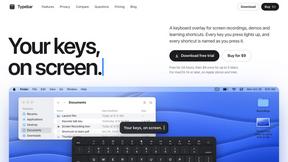
Typebar
Every key you press lights up on an on-screen keyboard, and each shortcut is named. For screen recordings, demos and learning shortcuts.

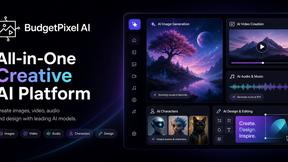
Budgetpixel AI
Create AI images, videos, music, and designs in one workspace with multiple models, powerful editing tools, and API access.
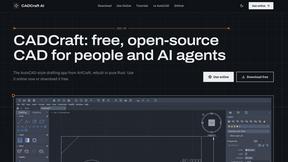
CADCraft
Free, open-source 2D CAD in Rust for precise drafting, layers, dimensions, hatches, and DWG/DXF/PDF/SVG/PNG workflows.

Nano AI
Create and edit AI images, generate videos, and compare models in one creative workbench.

Manatee
A Mac app that opens damaged video, PDFs, archives and documents and writes out everything it can still read. $9 once, no uploads.
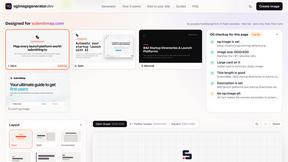
ogimagegenerator.dev
Paste a URL and AI designs on-brand Open Graph images from your page's colours, fonts and logo. Free, no sign-up.
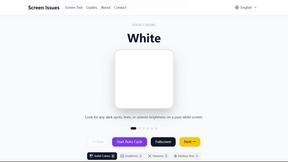
Screen Issues
Free Online Screen Test Tool - Instantly diagnose dead pixels, lines, color issues, and flickering. Multiple test modes, no download needed.

About Easymotion - AI Motion Graphic Generator Alternatives
Motion graphics and animation have become essential for engaging audiences, yet traditional video editing software often demands a steep learning curve and hours of manual timeline work. Easymotion - AI Motion Graphic Generator steps into this gap as a browser-based tool that automates the creation of animated visuals, from SaaS product promos and flowcharts to geographic map animations. It belongs to the AI Assistants, Content Creation, Design Tools, and Video categories, helping marketers, founders, and editors turn static assets into polished video content using AI rather than complex editing panels. Users commonly look for alternatives to Easymotion when their workflow demands different pricing structures, specific export formats, or integration with existing design ecosystems. Some may need more granular control over keyframe animation, while others might require a tool that handles longer-form video or advanced data visualization beyond the platform’s core strengths. When evaluating an alternative, focus on the breadth of motion graphic templates, the quality of AI-driven editing features like chat-based adjustments, support for your required aspect ratios and export formats, and whether the tool can handle both static image conversion and map animation with equal fluidity. Prioritize platforms that reduce manual work without sacrificing creative output.
FAQs about Easymotion - AI Motion Graphic Generator Alternatives
What is Easymotion - AI Motion Graphic Generator?
Easymotion is an AI-powered motion graphics generator and map animation platform designed for content creators, editors, founders, and marketers. It transforms ideas, files, and static visuals into polished animated videos without requiring traditional timeline editing. The platform supports motion graphics like SaaS product promos, flowcharts, animated charts, UI explainers, and map animations for flight routes, location pins, and geographic storytelling.
Who is Easymotion - AI Motion Graphic Generator for?
Easymotion is built for content creators, editors, founders, and marketers who need to produce animated videos quickly and efficiently. It serves professionals creating social media content, product marketing assets, presentations, client deliverables, and educational materials. The tool is especially useful for those who want to avoid complex video editing software but still require high-quality motion graphics and map animations.
What are the main features of Easymotion - AI Motion Graphic Generator?
Easymotion allows users to generate animations from prompts, images, spreadsheets, and PDFs, then edit them through a chat interface to adjust colors, pacing, labels, layout, and visual style. It includes a premium template library for starting from proven motion graphics layouts. Users can export finished videos as MP4 or MOV, including transparent background videos, and the platform supports multiple aspect ratios such as 16:9, 9:16, 1:1, and 4:5.
Why choose Easymotion - AI Motion Graphic Generator?
Easymotion is a strong choice for users who need a faster, browser-based alternative to traditional animation software. It eliminates the need for timeline editing by letting users create and refine animations through AI-driven prompts and chat commands. The platform also offers specialized map animation features and exports with transparent backgrounds, making it versatile for editing workflows, social content, and professional presentations.