

Alternatives to MonsterOps
Money Visualiser shows any amount as interactive 3D cash stacks for real scale.
20 alternatives found
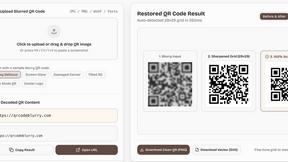
QSharpener
Is your QR code blurred or unreadable? Fix and scan blurred QR codes online with AI & mathematical deconvolution. Restore any blur QR code to crystal
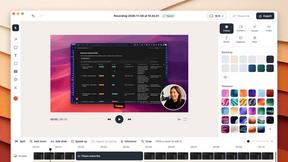
ScreenOtter
A Mac app for screen recordings and screenshots. A zoom on every click, captions made on your Mac, and eight camera layouts. Free to use, pay once.
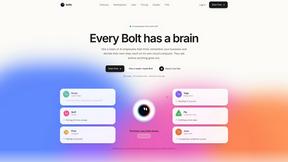
Bolts
AI employees with a brain and their own cloud computer. They think, remember your business and work 24/7.


GigUp
GigUp helps freelancers discover relevant Upwork jobs through AI matching, automated monitoring, and instant alerts.

Greatooly
Greatooly is a curated directory of small, useful apps — discover focused tools for art, learning, money, health, travel and everyday life.

Safe Outreach
AI-powered platform that evaluates the safety of LinkedIn automation tools and helps reduce the risk of account restrictions.


How Long How Many Tool
Timers and hourly checks to figure how out long until a certain time or how many days away.
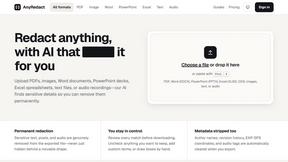
AnyRedact
Free online auto redaction tool with AI for PDFs, images, Word, PowerPoint, Excel, text and audio. Files are never stored.

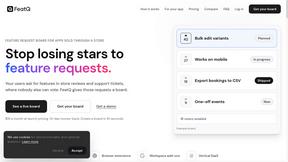
FeatQ
Feature request boards for software teams. Customers vote with just an email; your coding agent pulls the top request over MCP.

ButterShare
Realtime peer-to-peer file transfer in the browser. Send files directly between devices, no account and no upload to a server.

Emailyy
Free email tools for signatures, subject lines, HTML previews, word counts, and email headers. Browser-based, simple to use, and no signup required.
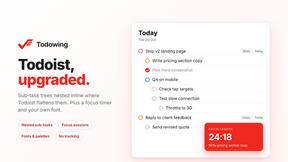
Todowing
Chrome extension that nests Todoist sub-tasks inline in Today, Upcoming, Filters and Labels, where Todoist shows them flat.

Uniclip
Clip pages, take full-page screenshots and batch-capture list data to Notion, Feishu, Obsidian, Markdown, CSV or JSON.
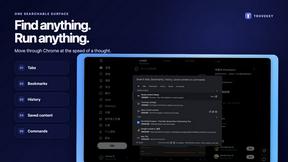
TroveKey
Search tabs, Chrome bookmarks and history, run browser commands, and save webpages and social posts locally—no account.
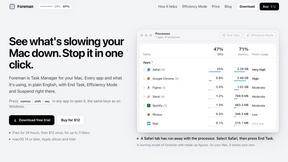
Foreman
See every app and what it's using in plain English, and end or slow down the one that's hogging your Mac.

About MonsterOps Alternatives
MonsterOps is a Business Operating System (BOS) designed to centralize goals, meetings, and accountability for small to mid-sized companies. It falls into the productivity and management software category, helping teams move from chaotic, reactive operations to a clear, proactive strategy. Users often explore alternatives for various reasons. These can include budget constraints, the need for different feature sets, or a requirement for a platform that aligns more closely with a specific management methodology. Some teams may also seek tools that integrate more deeply with their existing software stack. When evaluating alternatives, consider your core needs. Look for a solution that effectively centralizes your operational data, supports your meeting rhythms, and provides real-time visibility into performance. The right tool should reduce complexity, not add to it, by streamlining your processes and fostering team alignment.
FAQs about MonsterOps Alternatives
What is MonsterOps?
MonsterOps is a Business Operating System (BOS) that transforms operational chaos into clarity by centralizing goals, meetings, and accountability in one unified platform for small to mid-sized businesses.
Who is MonsterOps for?
It is designed for small to mid-sized businesses, particularly those adopting frameworks like EOS, that need to streamline goals, meetings, and real-time KPI tracking in a single workspace.
What are the main features of MonsterOps?
Key features include a unified workspace for all objectives, leadership meeting tools with agendas, real-time KPI tracking, and custom playbooks with integrations via Zapier.
Why choose MonsterOps?
MonsterOps consolidates scattered tools into one platform, providing real-time business health insights to help leaders shift from reactive firefighting to a predictable, proactive operational strategy.