

Alternatives to QuickSigner
QuickSigner solves slow contract workflows with simple, secure, legally binding eSigning and a powerful API.
20 alternatives found
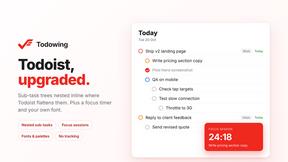
Todowing
Chrome extension that nests Todoist sub-tasks inline in Today, Upcoming, Filters and Labels, where Todoist shows them flat.

Uniclip
Clip pages, take full-page screenshots and batch-capture list data to Notion, Feishu, Obsidian, Markdown, CSV or JSON.

TroveKey
Search tabs, Chrome bookmarks and history, run browser commands, and save webpages and social posts locally—no account.
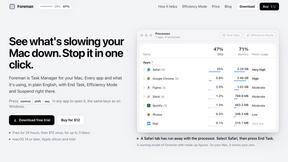
Foreman
See every app and what it's using in plain English, and end or slow down the one that's hogging your Mac.
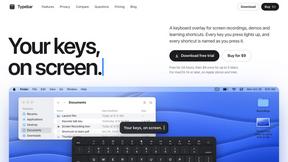
Typebar
Every key you press lights up on an on-screen keyboard, and each shortcut is named. For screen recordings, demos and learning shortcuts.

LightScreen
Free fullscreen light screen tool online. Turn any display into a flashlight, ambient light, or solid-color screen. No download or sign-up.
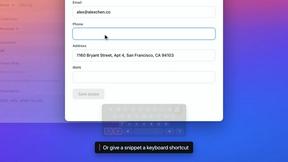

LevCharity
Fundraising platform for nonprofits combining donations, campaigns, donor CRM, events, communications, and reporting.

Kovnerov
Personal site of Vlad Kovnerov: analytics dashboards, web development, Telegram bots and browser tools for sellers and subscription tracking.
Everywhere
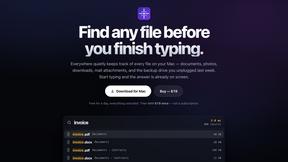
Fast file search for the Mac. Results as you type, files inside Mail and Photos, works with Wi-Fi off. $19 once.

Basalt
Eighteen PDF tools in one native Mac window: merge, split, compress, OCR, Bates numbering, forms, signing and redaction. Offline. $29 once.

Voice Keyboard Pro
Hold a key, say what you mean, let go. Clean, punctuated text lands at the cursor in any app on your Mac or iPhone.

Mainspring
Mainspring turns the settings macOS hides into 90+ one-click, fully reversible power-ups for Finder, Dock, screenshots and more. $29 once.

Inkling
Catch a thought without leaving what you are doing. Notes, checklists and a little companion in your Mac's notch. $12 once.

Context Board
Context Board brings your numbers, docs, clients, content and day into one workspace that Claude and Codex can read and update.

HookAds
Free ad creative hub: 1,750+ prompts behind viral AI ads, 118 hook frameworks, teardowns, swipe files and 27 free AI tools.

@fuck.it - email with attitude
Private email. Pure. Secure. Exclusive. No ads, no tracking, no data selling. GDPR compliant, EU-hosted.

About QuickSigner Alternatives
QuickSigner is an online eSigning platform that falls under the Productivity & Management category, designed to help businesses and individuals streamline the process of signing, sending, and finalizing documents. While it offers a powerful combination of simplicity, security, and API integration, users often begin searching for alternatives due to specific pain points such as unexpected pricing structures that don’t scale with their volume, a lack of certain advanced workflow features, or the need for deeper integration with their existing tech stack. Others may need a solution that offers a different user interface or more flexible team management capabilities for their unique operational environment. When evaluating alternatives, the primary focus should be on finding a tool that matches your specific document volume and signature complexity without sacrificing security or user experience. Look for platforms that offer transparent pricing tiers, robust API documentation for developers, and compliance certifications like ISO 27001 or Adobe Approved Trust List status to ensure legal validity. Additionally, consider the ease of use for all parties involved in the signing process, as a frictionless recipient experience is often the deciding factor between a signed document and a stalled deal.
FAQs about QuickSigner Alternatives
What is QuickSigner?
QuickSigner is an online eSigning platform that falls under the Productivity & Management category, designed to accelerate how you sign, send, and finalize documents. It aims to turn what used to be days of back-and-forth communication into a matter of minutes by providing a simple, powerful, and secure digital signature solution. The platform includes an API for integration into existing workflows and is built to handle everything from one-off signatures to high-volume document transactions.
Who is QuickSigner for?
QuickSigner is built for professionals, small businesses, and enterprises who need to streamline their document signing processes without sacrificing security or legal compliance. It is ideal for anyone who regularly sends contracts, agreements, or forms that require legally binding signatures, including HR teams, legal departments, sales teams, and real estate agents. The inclusion of an API also makes it a strong fit for developers and organizations looking to embed eSigning capabilities directly into their own applications or platforms.
Is QuickSigner free?
Based on the provided product content, QuickSigner is described as a comprehensive solution that includes advanced features like Adobe Approved Trust List electronic signatures and ISO 27001 certification, which typically indicates a premium or paid service. While the information does not explicitly state a free tier, most platforms with this level of security and API functionality operate on a subscription or per-document pricing model. Users should check the official QuickSigner website for the most current information on any free trial options or pricing plans.
What are the main features of QuickSigner?
QuickSigner’s main features center around simplicity, power, security, and developer accessibility. It provides a straightforward interface for sending and signing documents, drastically reducing turnaround times from days to minutes. Key security features include the use of Adobe Approved Trust List electronic signatures for legal validity and ISO 27001 certification for robust information security management. Additionally, it offers an API for seamless integration into existing business systems, allowing for automated document workflows.