

Alternatives to QuickTextTools
QuickTextTools provides over 76 free online utilities designed to streamline text processing and enhance productivity for writers and creators.
20 alternatives found


GigUp
GigUp helps freelancers discover relevant Upwork jobs through AI matching, automated monitoring, and instant alerts.

Greatooly
Greatooly is a curated directory of small, useful apps — discover focused tools for art, learning, money, health, travel and everyday life.

Safe Outreach
AI-powered platform that evaluates the safety of LinkedIn automation tools and helps reduce the risk of account restrictions.


How Long How Many Tool
Timers and hourly checks to figure how out long until a certain time or how many days away.
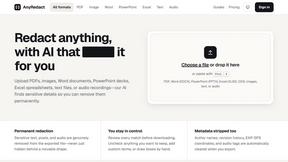
AnyRedact
Free online auto redaction tool with AI for PDFs, images, Word, PowerPoint, Excel, text and audio. Files are never stored.


FeatQ
Feature request boards for software teams. Customers vote with just an email; your coding agent pulls the top request over MCP.

ButterShare
Realtime peer-to-peer file transfer in the browser. Send files directly between devices, no account and no upload to a server.

Emailyy
Free email tools for signatures, subject lines, HTML previews, word counts, and email headers. Browser-based, simple to use, and no signup required.
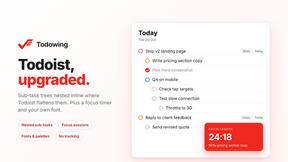
Todowing
Chrome extension that nests Todoist sub-tasks inline in Today, Upcoming, Filters and Labels, where Todoist shows them flat.

Uniclip
Clip pages, take full-page screenshots and batch-capture list data to Notion, Feishu, Obsidian, Markdown, CSV or JSON.

TroveKey
Search tabs, Chrome bookmarks and history, run browser commands, and save webpages and social posts locally—no account.
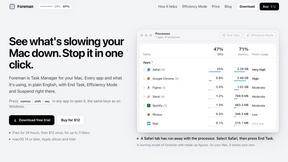
Foreman
See every app and what it's using in plain English, and end or slow down the one that's hogging your Mac.
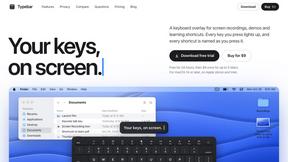
Typebar
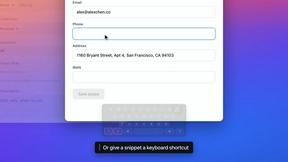
Every key you press lights up on an on-screen keyboard, and each shortcut is named. For screen recordings, demos and learning shortcuts.

Notchpals
Little characters peek out of your Mac's notch to remind you to drink water, eat, sit up and get to bed. Quiet during calls. $4.99 once.

LightScreen
Free fullscreen light screen tool online. Turn any display into a flashlight, ambient light, or solid-color screen. No download or sign-up.

About QuickTextTools Alternatives
QuickTextTools is an innovative online platform that offers a robust suite of over 76 free utilities aimed at enhancing productivity for writers, marketers, developers, students, and content creators. As a versatile tool, it falls under the category of productivity and management, providing users with a variety of features that simplify text optimization and streamline workflows. The platform's user-friendly interface and browser-based functionality enable seamless access to tools for text formatting, SEO analysis, writing assistance, and more, all without the need for complicated installations. Despite its impressive offerings, users often seek alternatives to QuickTextTools for various reasons. Factors such as specific feature sets, pricing structures, or platform compatibility can influence their decision. When considering alternatives, users should look for platforms that align with their particular needs, whether that means advanced functionalities, integrations with other tools, or enhanced privacy measures. Ultimately, the right alternative should provide a balance of usability, security, and a comprehensive set of features to support their productivity goals.
FAQs about QuickTextTools Alternatives
What is QuickTextTools?
QuickTextTools is a free online platform that provides over 76 utilities designed to enhance productivity for a variety of users including writers, marketers, and developers. It offers tools that help with text formatting, SEO analysis, and writing assistance, all aimed at simplifying the workflow for its users. The platform is easily accessible through a web browser, which means there is no need for installations or complicated setups.
Who is QuickTextTools for?
QuickTextTools is tailored for a diverse audience that includes writers, content creators, marketers, developers, students, and SEO professionals. Its various tools cater to anyone looking to enhance their productivity and optimize text efficiently. Whether you need to clean up keyword lists, analyze SEO metadata, or improve your writing, QuickTextTools provides practical solutions for a wide range of users.
Is QuickTextTools free?
Yes, QuickTextTools is completely free to use. It offers a wide array of utilities without any hidden fees or subscription costs. This makes it an accessible resource for anyone looking to enhance their productivity without the burden of financial commitment.
What are the main features of QuickTextTools?
QuickTextTools features over 76 different browser-based utilities that cater to various productivity needs. These include text formatting tools, SEO analysis utilities, writing assistants, and developer resources. The tools are designed to simplify workflows and save time, making it easier for users to focus on their creative and professional tasks.