

Alternatives to TaleHug AI Story Generator for Kids
Parents struggle to turn a child's messy ideas into stories, so TaleHug transforms voice, drawing, or text into a safe, illustrated 4-10 page AI.
20 alternatives found
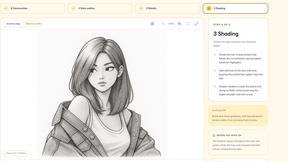

Outstanding Tiny Desk AI
Upload photos of you and up to 4 friends and get a 15-second Tiny Desk AI video with AI-generated sound, 9:16 for TikTok, Reels and Shorts.

Tip Toeing in My Jordans
Put your photo in the viral Rumpelstiltskin tip toe meme and get a 12-second AI video.
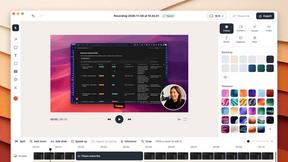
ScreenOtter
A Mac app for screen recordings and screenshots. A zoom on every click, captions made on your Mac, and eight camera layouts. Free to use, pay once.


Vikas Editor AI
AI photo and video creative studio for cinematic portraits, fashion edits, festive greetings, and visual concepts.

PavoAI
All-in-one AI video creation platform for text-to-video, image-to-video, editing, avatars, music, subtitles, and upscaling.

Angry Dance Filter
Upload one photo and get a 15-second angry dance video. Free watermarked preview, then optional one-time video packs.

AIVideoAgent
Turn text ideas or reference images into videos through conversation, with agent-assisted prompts and a choice of video models.

Dot & Dash
Learn Morse code by keying it on a machine you can press. Write messages, turn Morse into text and back, and key Morse in any app on your Mac.

Bloom
An adaptive AI tutor that turns topics or your materials into courses, lessons, and answers tailored to how you learn.




PracticeNetworking
Master networking with interactive, hands-on practice directly in your browser. Solve real terminal challenges, debug routes, and build core IT skills

HookAds
Free ad creative hub: 1,750+ prompts behind viral AI ads, 118 hook frameworks, teardowns, swipe files and 27 free AI tools.

SaaSHunter
Compare social media scheduling, content creation and monetization tools with verified pricing and side-by-side comparisons.

IQInsight
Take a free 40-question reasoning test with no signup. View an estimated score and explore an optional one-time paid report.

Leadeon
AI growth tool for X and LinkedIn: write posts in your voice, schedule at your best times, find leads on X and see what works.

About TaleHug AI Story Generator for Kids Alternatives
Every parent or educator who discovers TaleHug AI Story Generator for Kids is initially excited by its promise of letting children create picture-first stories with the help of AI. The tool sits squarely in the intersection of Content Creation and Education & Learning, designed to turn a child’s imagination into colorful, illustrated narratives. However, many users eventually find themselves searching for alternatives due to common pain points: limited free usage tiers that restrict how many stories a child can create, a lack of advanced customization for older kids who want more control over plot complexity, or a need for cross-platform support that works seamlessly on different devices. Others might find that the AI’s illustration style doesn’t match their child’s preferences or that the tool lacks features like multilingual support or collaborative storytelling for classroom settings. When looking for a replacement, the key is to focus on what matters most for your specific situation. You should evaluate the depth of customization available—does the tool allow you to adjust reading level, character diversity, or story length? Consider the privacy and security features, especially if the platform will be used in a school environment where data protection is critical. Also, look at the pricing model: some alternatives offer unlimited story generation for a flat monthly fee, while others might provide a robust free version with ads or watermarks. Finally, think about the user interface—the best alternative will feel intuitive for your child, with minimal friction between their ideas and the finished story, ensuring the creative process remains fun rather than frustrating.
FAQs about TaleHug AI Story Generator for Kids Alternatives
What is TaleHug AI Story Generator for Kids?
TaleHug AI Story Generator for Kids is an AI-powered storytelling platform specifically designed for children. It enables young users to craft their own illustrated stories using AI-assisted ideas, drawings, and imagination. The tool emphasizes kid-friendly interaction and colorful illustrations to make story creation engaging and approachable for both young readers and writers.
Who is TaleHug AI Story Generator for Kids for?
TaleHug is primarily designed for children who want to create their own stories in a fun, guided environment. It is also useful for parents, teachers, and caregivers looking to encourage creative writing and literacy skills in young learners. The platform’s picture-first approach makes it especially suitable for early readers who respond well to visual storytelling.
Is TaleHug AI Story Generator for Kids free?
TaleHug may offer a free tier or trial, but many users find that full access to unlimited story creation and premium features often requires a paid subscription. The exact pricing and free usage limits can change, so it is best to check their official website for the most current information. Typically, free versions may limit the number of stories you can create or the range of customization options available.
What are the main features of TaleHug AI Story Generator for Kids?
The main features include AI-assisted story idea generation, customizable picture-first narratives, and colorful illustrations that bring a child’s imagination to life. The platform is designed for kid-friendly interaction, meaning the interface is simple and safe for children to navigate on their own. It also supports the integration of a child’s own drawings and ideas, blending human creativity with AI assistance for a unique storytelling experience.