

Alternatives to Veo 4 video generator
Veo 4 solves slow, inconsistent video production by turning text, images, or existing clips into ultra-realistic, studio-grade footage in seconds.
20 alternatives found

StikSound
Edit your own clips or image/GIF with sound, animated text and local cutouts. Download video or WebP plus audio. One free export after sign-in.

Flux3Max.io
Make 5-20 s videos with sound from text, a photo or a first and last frame with FLUX 3 Max. 720p or 1080p, pay per second, from $9.90.
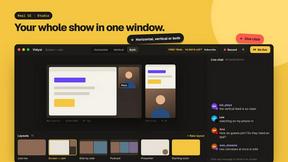
Vidyst Studio
Vidyst is a live streaming and recording app for Mac. From one session you can go live on YouTube, Twitch, X and Instagram at the same time, or to


Outstanding Tiny Desk AI
Upload photos of you and up to 4 friends and get a 15-second Tiny Desk AI video with AI-generated sound, 9:16 for TikTok, Reels and Shorts.

Tip Toeing in My Jordans
Put your photo in the viral Rumpelstiltskin tip toe meme and get a 12-second AI video.
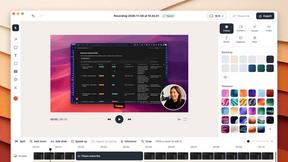
ScreenOtter
A Mac app for screen recordings and screenshots. A zoom on every click, captions made on your Mac, and eight camera layouts. Free to use, pay once.

VD6S
VD6S is a free online YouTube video downloader that supports HD, 4K and up to 8K downloads. Save videos in MP4 or audio in multiple formats.

Rhinobird
AI video ads, UGC-style videos, and product visuals for cross-border sellers and e-commerce brands.

Vikas Editor AI
AI photo and video creative studio for cinematic portraits, fashion edits, festive greetings, and visual concepts.

AI Tiny Desk
Make a 19-second desk-concert video with lead and sax, full band, Halloween or pet-band modes; audio and silent MP4.
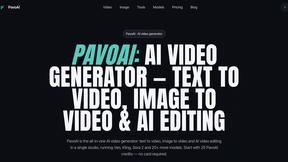
PavoAI
All-in-one AI video creation platform for text-to-video, image-to-video, editing, avatars, music, subtitles, and upscaling.
Angry Dance Filter
Upload one photo and get a 15-second angry dance video. Free watermarked preview, then optional one-time video packs.
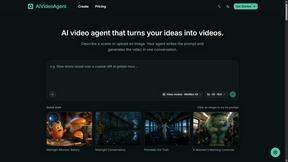
AIVideoAgent
Turn text ideas or reference images into videos through conversation, with agent-assisted prompts and a choice of video models.
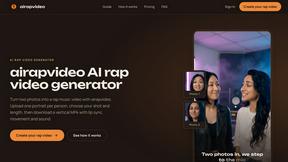
airapvideo
AI rap video generator that turns two portraits into a lip-synced vertical music video for TikTok, Reels, and Shorts.

GenX
All-in-one AI workspace to generate images, videos, and audio with multiple leading AI models.
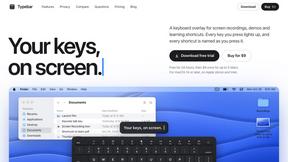
Typebar
Every key you press lights up on an on-screen keyboard, and each shortcut is named. For screen recordings, demos and learning shortcuts.



About Veo 4 video generator Alternatives
Are you a creator or brand pushing the boundaries of visual storytelling, only to find that your current tools can’t keep up with your ambition? The Veo 4 video generator enters this space as a next-generation AI solution, purpose-built to convert raw imagination into studio-grade video content. It belongs to the rapidly expanding category of generative AI video tools, promising ultra-realistic motion, extended scene lengths, and cinematic detail. However, while Veo 4 sets a high bar for quality, many users find themselves searching for alternatives due to specific friction points. These often include the tool’s pricing structure, which may not fit every budget, or a need for different platform integrations, unique stylistic controls, or simpler workflows that better align with a specific team’s production pipeline. The challenge is not that Veo 4 is lacking, but that every creator’s workflow has unique constraints. When evaluating an alternative to a high-end generator like Veo 4, you must shift your focus from raw output quality to operational fit. The primary challenge is balancing fidelity with flexibility. Look for a solution that solves your specific bottleneck: if your problem is budget, prioritize platforms with transparent usage-based pricing over rigid subscriptions. If your challenge is control, seek out tools offering granular scene manipulation or custom model training. If you struggle with integration, prioritize platforms that offer robust APIs or direct exports to your existing editing software. The core solution lies in identifying which feature—be it rendering speed, stylistic range, or collaborative access—will actually remove the obstacle in your current creative workflow. By framing your search around the specific pain point you need to solve, you move beyond a simple feature comparison and into a strategic selection that empowers your production.