
Veo 4 video generator
Veo 4 solves slow, inconsistent video production by turning text, images, or existing clips into ultra-realistic, studio-grade footage in seconds.
Visit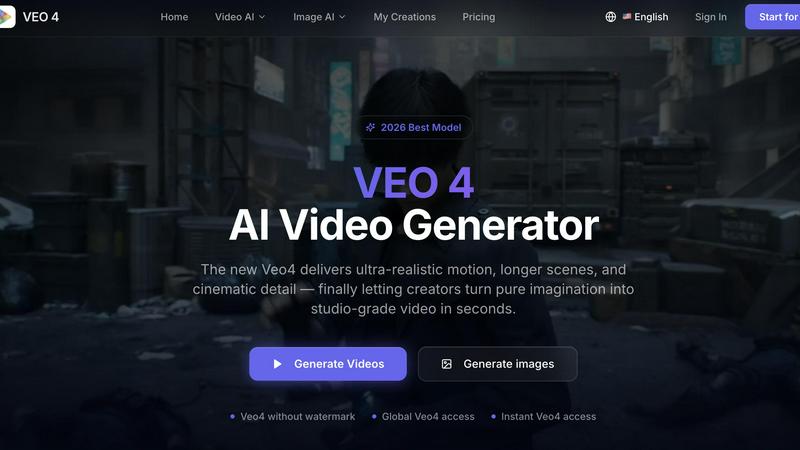
About Veo 4 video generator
The challenge for modern creators and marketing teams is clear: producing high-quality, studio-grade video content typically requires expensive equipment, specialized skills, and lengthy production timelines. Veo 4 video generator directly solves this problem by providing an AI-powered workflow that transforms text prompts, images, or existing footage into polished, usable video clips in seconds. This next-generation tool is designed for marketers, content creators, agencies, and product teams who need to move from concept to publishable media faster without sacrificing quality. Veo 4 delivers ultra-realistic motion, longer scenes, and cinematic detail that finally bridges the gap between pure imagination and production-ready output. Unlike research demos or experimental AI tools, Veo 4 is built for practical commercial use, supporting text-to-video, image-to-video, and video-to-video workflows. Teams can explore new concepts from text prompts, animate still images into dynamic scenes, or restyle and improve existing footage without rebuilding from scratch. The platform emphasizes smoother motion, cleaner framing, and intentional scene control, making it ideal for ads, social campaigns, product launches, and branded storytelling. With global access, instant generation, and watermark-free exports, Veo 4 removes the traditional bottlenecks of video production, enabling faster iteration, stronger first drafts, and more believable visual storytelling for any commercial application.
Features of Veo 4 video generator
Multi-Modal Input Flexibility
Start your video creation journey from any source material that fits your current workflow. Veo 4 supports text prompts when you want to explore a new concept from scratch, image uploads when you have a specific visual direction in mind, and video-to-video transformation when you need to restyle, extend, or improve existing footage. This flexibility means teams never have to start over or force their ideas into a single input method, saving significant time and preserving creative intent throughout the production process.
Superior Motion and Scene Control
Veo 4 delivers noticeably smoother motion, cleaner framing, and more intentional scene composition compared to earlier AI video generators. The model is specifically trained to produce ultra-realistic movement that eliminates the jittery or unnatural motion common in other tools. You get stronger ad creative and more believable visual storytelling because every scene feels deliberate and professionally framed, whether you are generating a product demo, a cinematic narrative, or a social media clip that needs to hold viewer attention.
Longer Clips with Clean Exports
Create extended video sequences that work for narrative storytelling, campaign concepts, and product explainers without worrying about abrupt cuts or quality degradation. Veo 4 supports longer generation times while maintaining consistent visual quality throughout the clip. Clean export functionality ensures your finished video moves directly into editing workflows, landing pages, or ad platforms without requiring additional cleanup or reformatting, significantly reducing post-production overhead for busy teams.
Text and Image to Video Generation
The core creation paths in Veo 4 are designed for simplicity and speed. Start from text when you want to explore a concept rapidly, generating a complete video from a descriptive prompt in seconds. Start from an image when you need to maintain specific visual direction, animating a still photograph or illustration into a dynamic scene. Both paths produce polished, watermark-free output that is ready for commercial use, giving teams the flexibility to choose the most efficient starting point for any project.
Use Cases of Veo 4 video generator
Rapid Ad Concept Development
Marketing teams facing tight deadlines can use Veo 4 to generate multiple ad variations from text prompts in minutes instead of days. Describe your product, target emotion, and desired scene, and Veo 4 produces realistic video clips that can be tested for audience response before committing to full production. This rapid iteration cycle allows brands to compare different creative directions, refine messaging, and select the strongest concepts for paid social campaigns, display ads, or video pre-rolls, dramatically reducing the time from brief to market.
Social Media Content Production
Content creators and social media managers can maintain a consistent posting schedule by using Veo 4 to generate short-form videos for platforms like Instagram, TikTok, and YouTube Shorts. The tool supports common aspect ratios including 9:16 for vertical video and 16:9 for horizontal content, ensuring every clip fits platform requirements without manual cropping. From product showcases and behind-the-scenes concepts to branded storytelling and trend-jacking content, Veo 4 enables creators to produce high-volume, high-quality social assets that drive engagement and maintain brand presence.
Product Launch and Demo Videos
Product teams can create compelling launch videos and feature demonstrations without filming expensive product shoots. Upload product images or describe key features through text prompts, and Veo 4 generates realistic video that shows the product in action, highlights unique selling points, and creates emotional connection with viewers. These videos work perfectly for landing pages, email campaigns, crowdfunding pitches, and trade show presentations, allowing startups and established brands alike to communicate product value visually without the logistics of traditional video production.
Video-to-Video Restyling and Improvement
Agencies and production teams often have existing footage that needs a fresh look, stronger pacing, or cleaner motion. Veo 4 excels at video-to-video workflows, allowing you to upload source material and transform it into a completely new style, improve motion quality, or extend scenes without rebuilding from scratch. This is particularly valuable for repurposing old content for new campaigns, updating brand assets to match current visual trends, or salvaging rough cuts that need professional polish before client presentation.
Frequently Asked Questions
What types of input does Veo 4 support for video generation?
Veo 4 supports three primary input methods: text-to-video, where you write a descriptive prompt to generate a completely new video; image-to-video, where you upload a still image and Veo 4 animates it into a dynamic scene; and video-to-video, where you provide existing footage that can be restyled, extended, or improved in quality. This multi-modal approach ensures you can start from whatever source material you have available, whether it is a creative concept, a product photo, or raw footage that needs enhancement.
Can I use Veo 4 videos for commercial purposes like ads and marketing?
Yes, Veo 4 is specifically designed for commercial use by marketing teams, creators, agencies, and product teams. The platform generates watermark-free videos that are ready for use in ads, landing pages, social media campaigns, product launches, and branded storytelling. The output quality and cleaner exports make it easy to move directly into editing workflows or publish to ad platforms without additional processing, supporting real marketing workflows from concept to publishable media.
How long are the videos I can create with Veo 4?
Veo 4 supports longer video generation compared to many AI video tools, enabling you to create extended clips suitable for narrative sequences, campaign concepts, and product explainers. The exact maximum length depends on your generation settings and credits, but the platform is optimized for producing usable clips that fit commercial needs rather than short experimental snippets. Clean export functionality ensures longer videos maintain consistent quality throughout the duration.
What makes Veo 4 different from other AI video generators?
Veo 4 distinguishes itself through its focus on practical commercial application rather than research demonstration. The model delivers superior motion quality with smoother, more realistic movement and cleaner framing that eliminates the jittery artifacts common in other tools. Additionally, Veo 4 supports video-to-video workflows for restyling and improving existing footage, offers longer clip generation, and provides watermark-free exports. The platform is built specifically for marketing and creative teams that need speed, clarity, and iteration capability for real production environments.
Similar to Veo 4 video generator
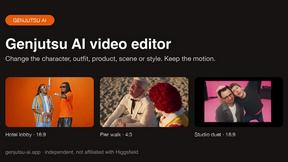
Genjutsu AI Video Editor
AI video-to-video editing for character, outfit, object, and style swaps guided by your source clip and reference images.

Raindance AI Video Generator
Turn two photos into the Raindance AI pier video with the soundtrack included
DanseAI - Alors on Danse AI Video
Make the Alors on Danse AI meme video from two photos, soundtrack included
Opus 5.5 Video Generator
Turn a prompt into a 1080p motion-graphics MP4 planned and coded by Claude Opus 5.5

Rumpelstiltskin AI Video Generator
Make the viral Rumpelstiltskin tiptoe dance meme video from two photos
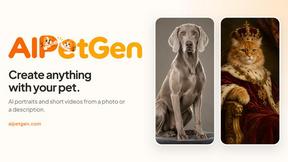
AIPetGen
AIPetGen turns a photo of your dog, cat, or other pet, or a written description, into a new picture or a short animation.

Hotel Lobby AI Video Generator
Turn two photos into a Hotel Lobby dance video in the orange A COLORS SHOW booth.