

Alternatives to VersQ
Stop paying per character for AI document translation that preserves formatting, with VersQ's flat monthly fee giving you unlimited use of 50+ models.
20 alternatives found

Safe Outreach
AI-powered platform that evaluates the safety of LinkedIn automation tools and helps reduce the risk of account restrictions.


How Long How Many Tool
Timers and hourly checks to figure how out long until a certain time or how many days away.
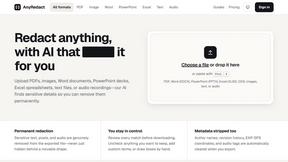
AnyRedact
Free online auto redaction tool with AI for PDFs, images, Word, PowerPoint, Excel, text and audio. Files are never stored.

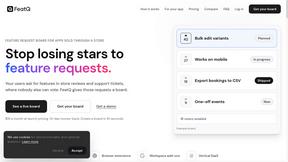
FeatQ
Feature request boards for software teams. Customers vote with just an email; your coding agent pulls the top request over MCP.
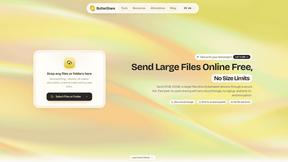
ButterShare
Realtime peer-to-peer file transfer in the browser. Send files directly between devices, no account and no upload to a server.
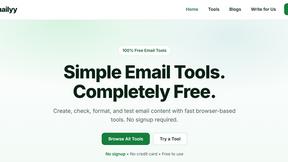
Emailyy
Free email tools for signatures, subject lines, HTML previews, word counts, and email headers. Browser-based, simple to use, and no signup required.
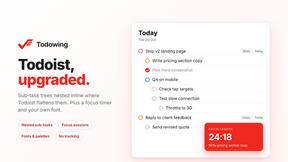
Todowing
Chrome extension that nests Todoist sub-tasks inline in Today, Upcoming, Filters and Labels, where Todoist shows them flat.

Uniclip
Clip pages, take full-page screenshots and batch-capture list data to Notion, Feishu, Obsidian, Markdown, CSV or JSON.
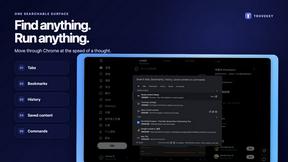
TroveKey
Search tabs, Chrome bookmarks and history, run browser commands, and save webpages and social posts locally—no account.
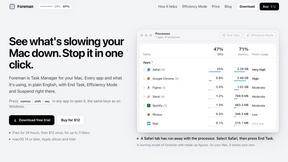
Foreman
See every app and what it's using in plain English, and end or slow down the one that's hogging your Mac.
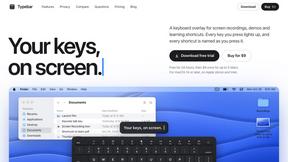
Typebar
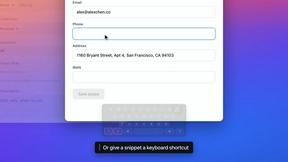
Every key you press lights up on an on-screen keyboard, and each shortcut is named. For screen recordings, demos and learning shortcuts.
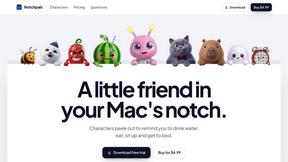
Notchpals
Little characters peek out of your Mac's notch to remind you to drink water, eat, sit up and get to bed. Quiet during calls. $4.99 once.

LightScreen
Free fullscreen light screen tool online. Turn any display into a flashlight, ambient light, or solid-color screen. No download or sign-up.


LevCharity
Fundraising platform for nonprofits combining donations, campaigns, donor CRM, events, communications, and reporting.

Kovnerov
Personal site of Vlad Kovnerov: analytics dashboards, web development, Telegram bots and browser tools for sellers and subscription tracking.
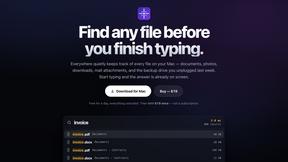
Everywhere
Fast file search for the Mac. Results as you type, files inside Mail and Photos, works with Wi-Fi off. $19 once.
About VersQ Alternatives
VersQ is an AI-powered document translation platform designed specifically for professionals in legal, medical, and international business fields who require precise, context-aware translations without sacrificing original document formatting. It falls under the Productivity & Management category, functioning as a specialized tool that handles complex file types like PDFs, DOCX, and XLSX while preserving tables, layouts, and semantic structure. Users often begin searching for alternatives when they encounter pricing constraints that don't scale with their volume, need support for additional file formats or language pairs not covered, or require different security compliance levels for sensitive documents. Others may find that the selection of over 50 AI models, while powerful, introduces complexity that simpler workflows don't need. When evaluating an alternative, focus on three core criteria: format preservation accuracy for your specific document types, the depth of translation context understanding for industry-specific terminology, and the balance between translation quality and processing speed. Consider whether you need real-time collaboration features, batch processing capabilities, or integration with existing document management systems. Transparency in pricing models, especially for high-volume translation needs, and the availability of human review or post-editing options are also critical factors. The best alternative will align with your team's technical expertise, security requirements, and the specific document complexity you handle daily.
FAQs about VersQ Alternatives
What is VersQ?
VersQ is an AI-powered document translation platform built specifically for professionals in legal, medical, and international business fields. It allows users to upload documents in over 15 formats including PDFs, DOCX, EPUB, XLSX, and HTML, then extracts the text, applies semantic section splitting, and translates through a choice of 50+ AI models. The platform reconstructs all formatting, tables, and layout in the final output, ensuring the translated document mirrors the original structure.
Who is VersQ for?
VersQ is designed for professional teams in legal, medical, and international business environments who need accurate, context-aware document translations without losing document structure. It caters to translators, paralegals, medical documentation specialists, and global business operations teams that regularly handle complex multi-format documents. The platform is particularly suited for users who require precise formatting preservation across diverse file types like contracts, clinical trial reports, and financial statements.
Is VersQ free?
Based on the product description provided, VersQ is positioned as a professional tool for legal, medical, and business teams, which typically indicates a paid subscription or usage-based pricing model. No specific pricing information or free tier details are available in the provided content. Users should visit the official VersQ website or contact their sales team for current pricing plans, trial options, and volume discounts.
What are the main features of VersQ?
VersQ's primary features include support for over 15 document formats such as PDFs, DOCX, EPUB, XLSX, and HTML, with automatic text extraction and semantic section splitting. Users can choose from more than 50 AI translation models including GPT-4, Claude, Gemini, DeepSeek, and Llama. The platform excels at reconstructing original formatting, tables, and layout in the translated output, making it ideal for complex professional documents where structure is critical.