
EditTextImage
EditTextImage lets you replace text in any image online in 30 seconds, keeping font, color, and perspective perfectly intact.
Visit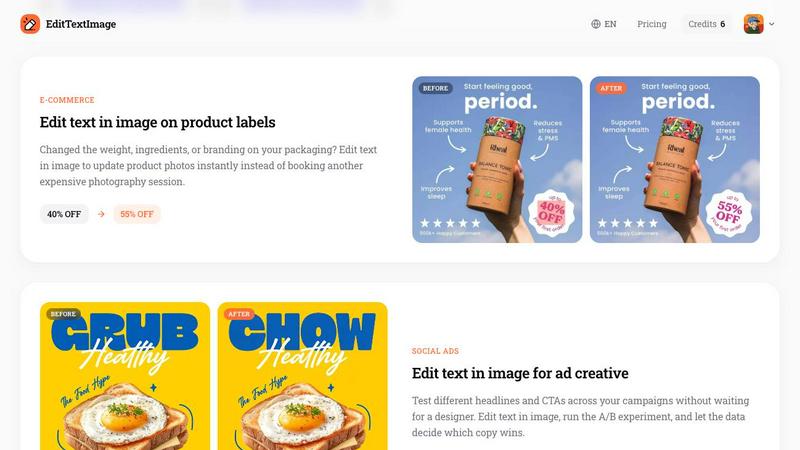
About EditTextImage
EditTextImage is an innovative online AI tool that solves a common and frustrating problem: the need to change text in a finished image when you no longer have the original design file. Whether you are a marketer, designer, small business owner, or content creator, this tool eliminates the need for expensive software like Photoshop or a Canva subscription. Simply upload your image, type the existing text you want to replace, and enter the new text. The AI samples the typography directly from the pixels of your image, preserving the original font, color, size, drop shadow, perspective, and background layout with pixel-perfect accuracy. The entire process takes approximately 10 seconds and outputs a high-resolution 2K image. EditTextImage is designed for speed, simplicity, and affordability. It handles a wide range of image types including posters, product labels, app screenshots, documents, and social media ads. With a free credit to start and no credit card required, it is the fastest way to edit text in an image online.
Features of EditTextImage
AI-Powered Font Sampling
EditTextImage uses advanced AI to sample the typeface directly from the pixels of your uploaded image. This means you do not need to have the original font file installed on your computer. The technology works seamlessly with paid fonts, hand-lettering, and custom typography. It analyzes the shape, weight, and spacing of each character to replicate the exact look and feel of the original text. This feature ensures that your edited text blends perfectly with the rest of the image, making it virtually indistinguishable from the original.
Pixel-Perfect Preservation
Unlike basic image editors that often reset the font, smear the background, or warp the perspective, EditTextImage is built to keep every pixel exactly where it should be. When you edit text in an image, the tool preserves the surrounding background, shadows, lighting, and layout. The result is a clean, professional edit that maintains the integrity of the original design. This feature is critical for high-stakes applications like product packaging, official documents, and marketing materials where quality cannot be compromised.
Blazing Fast Processing
Time is money, and EditTextImage delivers results in approximately 10 seconds. The average time to edit text in an image is just 12 seconds, making it one of the fastest tools available. You do not need to wait for complex rendering or manual adjustments. Simply upload, type, and download your edited image. The tool outputs at 2K resolution, ensuring that your final image is suitable for both digital and print use. This speed makes it ideal for rapid iteration in A/B testing, last-minute fixes, and production workflows.
No Subscription Required
EditTextImage operates on a simple, no-subscription model. You get one free credit to start, and no credit card is required to sign up. After your free edit, you can purchase a one-time pack of 30 edits for just $9.90. Credits never expire, and commercial use is included. This pricing model is ideal for freelancers, small businesses, and anyone who needs occasional text edits without committing to a monthly subscription. There is no Photoshop or Canva subscription required, making it an incredibly cost-effective solution.
Use Cases of EditTextImage
Document Fixes and Corrections
Lost the source file for an important contract, invoice, or official document? EditTextImage lets you edit text in image files directly. You can update invoice numbers, fix typos in contracts, correct dates on certificates, or change names in official letters without needing the original design file. This is a lifesaver for administrative professionals, legal teams, and anyone who works with scanned documents or screenshots. The AI preserves the font and layout so the edit looks natural and professional.
Posters and Flyer Updates
Event details change frequently. The date moves, a speaker drops out, or the venue shifts. Instead of hunting down your designer and waiting for a new file, you can edit text in image right on the finished poster. EditTextImage allows you to swap out the date, change the headline, or update the location in seconds. This is perfect for event planners, marketing teams, and community organizers who need to keep their promotional materials up to date without incurring additional design costs.
App Screenshot Localization
App developers and marketers often need to provide screenshots in multiple languages for app store listings. Instead of rebuilding every UI mockup from scratch, you can use EditTextImage to swap languages on existing screenshots. The AI preserves the exact position, font, and style of the original text, ensuring that your localized screenshots look pixel-perfect. This dramatically reduces the time and cost associated with app localization, allowing you to launch in new markets faster.
E-Commerce Product Label Updates
Product packaging often changes due to new ingredients, updated weights, or rebranding. Booking a new photography session for every change is expensive and time-consuming. EditTextImage lets you edit text in image on existing product photos. You can update the weight, change the discount percentage, or swap out a product name instantly. This is invaluable for e-commerce managers, brand managers, and packaging designers who need to keep their product listings current without additional photoshoots.
Frequently Asked Questions
What types of images does EditTextImage support?
EditTextImage supports PNG, JPEG, and WebP file formats up to 10 MB in size. The tool is designed to work with a wide variety of image types including posters, screenshots, product labels, documents, and social media ads. For best results, ensure that the text you want to edit is clearly visible and not heavily distorted or obscured.
Is my data secure when I use EditTextImage?
EditTextImage takes data security and privacy seriously. The platform has a strict Acceptable Use Policy and does not process IDs, passports, visa support letters, official seals, bank statements, or tampered receipts. Violations of these policies result in account termination without refund. Request logs are preserved and may be shared with law enforcement if required. You should only upload images that you own or are licensed to edit.
How accurate is the AI font sampling?
The AI font sampling is highly accurate and designed to preserve the original font, color, size, drop shadow, and perspective of the text. It analyzes the pixels surrounding the text to replicate the exact look and feel. However, results can vary depending on the complexity of the image, the size of the text, and the quality of the original image. For best results, use high-resolution images with clear, unobstructed text.
Can I use EditTextImage for commercial projects?
Yes, commercial use is included with every purchase. Whether you are editing text for a client, updating product labels for your e-commerce store, or creating marketing materials for your business, you are free to use the edited images commercially. Credits never expire, so you can use them as needed without worrying about a subscription.
Pricing of EditTextImage
EditTextImage offers a simple and transparent pricing model. You receive one free credit to start, and no credit card is required to sign up. This allows you to test the tool and see the quality of the results before making any commitment. After your free edit, you can purchase a one-time pack of 30 edits for $9.90. Credits never expire, so you can use them at your own pace. Commercial use is included with all purchases. There are no hidden fees, no monthly subscriptions, and no need for Photoshop or Canva. This pricing is ideal for individuals and small businesses who need occasional text edits without breaking the bank.
Similar to EditTextImage
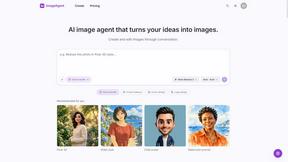
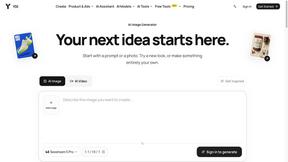
ImageAgent
Create and edit AI images through conversation, using text or reference images and refining results in chat.
GenX
All-in-one AI workspace to generate images, videos, and audio with multiple leading AI models.

AppIconGenerator
Generate iOS and Android app icons from any image and export all platform sizes for free.
AiAgeFilter
Free AI age filter: upload an adult portrait, add 10-40 years, meet your older self. No app needed.
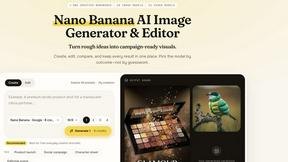
Nano AI
Create and edit AI images, generate videos, and compare models in one creative workbench.
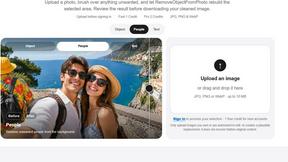
RemoveObjectFromPhoto
Remove unwanted objects, people, and text from photos with AI for clean, natural-looking results in seconds.
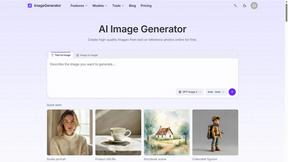
ImageGenerator
Create and edit AI images online with multiple models, text-to-image, image-to-image, background removal, and upscaling.