
Opal
Opal organizes all your projects and notes in one visual workspace so you find anything instantly, never losing time to search.
Visit
About Opal
Opal is a visual knowledge and project management workspace designed to end the frustrating cycle of losing notes and forgetting ideas. It is built for people who think spatially, such as solopreneurs, consultants, agency owners, and writers, whose businesses thrive on managing conversations, details, and client promises. The core problem Opal solves is the "digital disappearance" of information—the all-too-common experience where brilliant ideas, critical client notes, and important tasks get buried in nested folders, hidden behind tabs, or lost in complex dashboards of traditional apps. This forces you to stop your productive flow to hunt for information, wasting precious time and mental energy.
Opal's revolutionary solution is an infinite digital canvas that mimics a physical desk. Instead of filing information away, you visually place it. You can drag and drop notes, documents, files, and links anywhere on the canvas, organizing them spatially in groups, stacks, or any layout that makes sense to you. This leverages spatial memory; you remember where things are located, not just what they are called. The result is instant retrieval and a workspace where your entire world of active projects, client details, and creative ideas stays visible and top-of-mind. Opal transforms how you interact with your work, moving from searching and filing to simply looking and knowing, so you can maintain focus and execute your best work without interruption.
Features of Opal
The Infinite Visual Canvas
Opal provides a boundless digital workspace where you can lay out all your work elements visually. Unlike restrictive folders or linear lists, this canvas allows you to place notes, documents, and links anywhere you want. You can create clusters for projects, columns for stages, or any spatial arrangement that mirrors your mental model. This freedom turns abstract information into a tangible, memorable landscape that your brain can easily navigate and recall.
Spatial Memory & Visual Organization
This feature leverages the brain's innate ability to remember locations. By dragging items to specific places on your canvas—grouping client details together, stacking related ideas, or placing urgent tasks in a prominent corner—you create a cognitive map of your work. This means you stop forgetting where you put things because you've seen them in a specific, fixed location, making information retrieval instant and intuitive, eliminating the need for tedious searches.
Multi-Element Side-by-Side View
Opal lets you open and view multiple notes, documents, or files simultaneously, limited only by your screen size. This is crucial for deep work where you need to reference a client brief, your research notes, and a draft document all at once. By keeping everything in sight, you maintain context and flow, preventing the disruptive tab-switching and window-minimizing that fragments concentration and slows down complex tasks.
Drag-and-Drop Everything
The entire Opal experience is built on intuitive drag-and-drop functionality. You can effortlessly move notes around to reorganize your workspace, attach files directly onto the canvas, or link ideas together by placing them side-by-side. This tactile method of organization feels natural and immediate, removing the friction and cognitive load of complex menus, tags, or filing systems, so you can organize your thoughts as fast as you have them.
Use Cases of Opal
Client & Project Management for Solopreneurs
For solo business owners juggling multiple clients, Opal becomes the central command center. You can create a dedicated zone for each client, visually placing their contact info, project notes, contracts, and ongoing tasks. Seeing all active clients on one screen ensures nothing slips through the cracks, deadlines are visible, and you can instantly access any detail before a call or when delivering work, projecting professionalism and reliability.
Content Creation & Editorial Planning
Writers, creators, and marketers can use Opal to map out their entire content strategy on one canvas. You can cluster topics, stack draft versions, place published articles in an archive area, and pin crucial resources like keyword lists or tracking sheets nearby. This visual overview prevents ideas from getting lost, makes editorial calendars tangible, and streamlines the workflow from ideation to publication.
Creative Ideation & Brainstorming
When generating ideas, the linear structure of documents can be limiting. Opal’s canvas allows for free-form brainstorming. You can scatter concepts, visually connect related thoughts with proximity, build out idea clusters, and move elements around as your thinking evolves. This spatial approach mirrors the non-linear nature of creative thinking, helping you develop and retain more innovative ideas.
Managing Systems & Operational Knowledge
For consultants and agency owners, Opal is perfect for housing operating systems, SOPs, and repeatable processes. You can create a visual library of your business frameworks, sales scripts, and service delivery checklists. Having these critical systems laid out visually, rather than buried in a drive, makes them easy to reference, train others with, and ensure consistency and quality across all your work.
Frequently Asked Questions
How is Opal different from tools like Notion or Google Docs?
Opal is fundamentally different in its philosophy. Tools like Notion and Google Docs are based on filing information into pages, databases, and nested folders—you have to remember what you named something and where you put it. Opal is based on placing information on a spatial canvas. You organize by location, leveraging your brain's powerful spatial memory to remember where things are visually. It’s the difference between searching through a filing cabinet and looking at your physical desk where everything is in sight.
Is there a learning curve to using a visual workspace?
The learning curve is surprisingly minimal because Opal mimics how we naturally organize physical objects. The drag-and-drop interface is intuitive, and there are no complex syntax or database relations to learn. Most users find that within minutes, they are naturally grouping related items and creating a layout that makes immediate sense to them. It feels less like learning new software and more like extending your natural thought process onto the screen.
Can I collaborate with my team in Opal?
While the current focus, as indicated by the provided context, is on empowering individual professionals and solopreneurs to manage their own world of work, the visual nature of Opal presents powerful potential for collaboration. A shared canvas could allow teams to visually map projects, track progress, and centralize client information in a way that is transparent and instantly understandable to everyone, reducing meetings and miscommunication.
What happens if I have hundreds of notes? Won't the canvas get cluttered?
Opal is designed for your active, working world—the projects, clients, and ideas you are currently engaged with. It encourages a natural workflow where completed projects or archived reference materials can be moved to a designated area of the canvas or exported. The infinite space allows you to scale your active work visually, and the spatial grouping helps manage complexity by keeping related items together, preventing the overwhelming clutter of a linear list with hundreds of entries.
Similar to Opal
Novastart
Apps and files on an infinite canvas where people and AI agents work together.
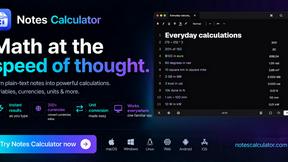
Notes Calculator
A notepad calculator that reads plain text and gives instant answers as you type, free on Mac, iOS, Windows, Linux, Android and Web.

CubexSoft EML Converter
Convert EML Files to PST, PDF, EML, MBOX, CSV, Gmail, IMAP, Thunderbird, and more.
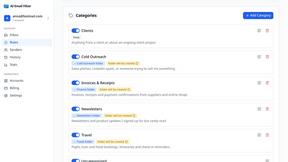
AI Email Filter
AI Email Filter sorts incoming mail into folders using plain-language prompts you write. Works with any IMAP mailbox; bring your own LLM if you want.
Egmatic
No-code 2D game editor: visual node logic, drag-and-drop scenes, live preview. Exports to Windows, macOS, Linux, Android, iOS, Web.
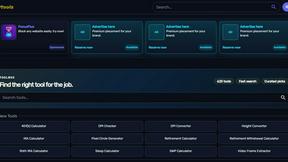
Kody Tools
Free collection of online developer utilities, code formatters, and digital converters designed to streamline your daily workflow.
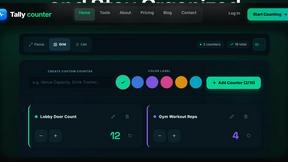
Tally counter
Online tally counter for tracking attendance, workouts, inventory, sports scores, visitors, habits, and everyday counting tasks.
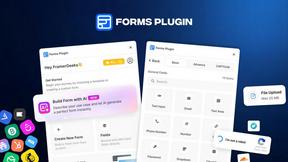
Forms Plugin
The #1 Native Form Builder Plugin for Framer - No Code, No Embeds, No External Platforms.