



How Long How Many Tool
Timers and hourly checks to figure how out long until a certain time or how many days away.
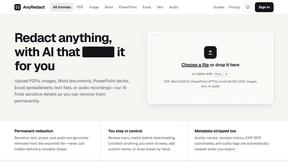
AnyRedact
Free online auto redaction tool with AI for PDFs, images, Word, PowerPoint, Excel, text and audio. Files are never stored.

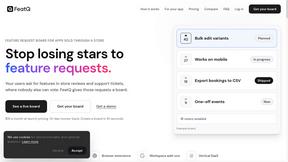
FeatQ
Feature request boards for software teams. Customers vote with just an email; your coding agent pulls the top request over MCP.
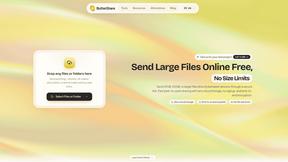
ButterShare
Realtime peer-to-peer file transfer in the browser. Send files directly between devices, no account and no upload to a server.

Emailyy
Free email tools for signatures, subject lines, HTML previews, word counts, and email headers. Browser-based, simple to use, and no signup required.
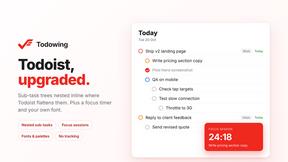
Todowing
Chrome extension that nests Todoist sub-tasks inline in Today, Upcoming, Filters and Labels, where Todoist shows them flat.

Uniclip
Clip pages, take full-page screenshots and batch-capture list data to Notion, Feishu, Obsidian, Markdown, CSV or JSON.
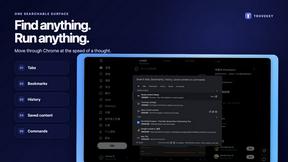
TroveKey
Search tabs, Chrome bookmarks and history, run browser commands, and save webpages and social posts locally—no account.
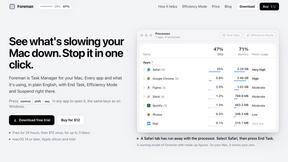
Foreman
See every app and what it's using in plain English, and end or slow down the one that's hogging your Mac.
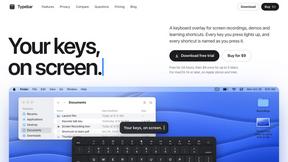
Typebar
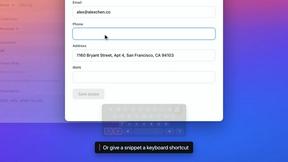
Every key you press lights up on an on-screen keyboard, and each shortcut is named. For screen recordings, demos and learning shortcuts.

Notchpals
Little characters peek out of your Mac's notch to remind you to drink water, eat, sit up and get to bed. Quiet during calls. $4.99 once.

LightScreen
Free fullscreen light screen tool online. Turn any display into a flashlight, ambient light, or solid-color screen. No download or sign-up.

LevCharity
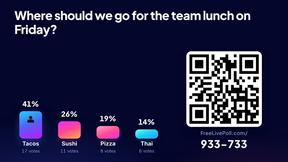
Fundraising platform for nonprofits combining donations, campaigns, donor CRM, events, communications, and reporting.

Kovnerov
Personal site of Vlad Kovnerov: analytics dashboards, web development, Telegram bots and browser tools for sellers and subscription tracking.
Everywhere
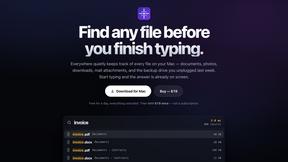
Fast file search for the Mac. Results as you type, files inside Mail and Photos, works with Wi-Fi off. $19 once.
About Opal Alternatives
Opal is a visual workspace that falls into the productivity and project management category. It is designed for individuals who think spatially, offering an infinite digital canvas to organize notes, documents, and projects visually. This approach leverages spatial memory, helping users remember where information is placed rather than just its name, which makes retrieving ideas and project details faster and more intuitive. Users often explore alternatives to Opal for various reasons. Common considerations include budget constraints, as subscription pricing may not fit all needs, or a desire for more traditional, list-based project management features. Some users may require specific platform availability, deeper integrations with other tools, or more robust team collaboration capabilities. When evaluating alternatives, it's crucial to identify your primary need: whether it's strict visual organization, powerful task management, seamless cross-platform sync, or advanced security for sensitive client information. Understanding your workflow's core challenge will guide you to the most suitable tool.
FAQs about Opal Alternatives
What is Opal?
Opal is a visual knowledge and project management workspace designed for people who think spatially. It provides an infinite digital canvas where you can drag and drop notes, documents, files, and links, organizing them visually like on a physical desk. This spatial memory approach helps you remember where things are, making information retrieval instant and reducing the frustration of searching through nested folders.
Who is Opal for?
Opal is built for solopreneurs, consultants, agency owners, writers, and anyone whose business relies on managing conversations, details, and promises. It's ideal for individuals who feel constrained by traditional, linear apps and lose ideas in nested folders. The tool helps keep all active projects, client details, and creative ideas visible and top-of-mind, supporting a fluid, visual workflow.
What are the main features of Opal?
Opal's core feature is its infinite visual canvas, allowing for the spatial organization of any element like notes, documents, and web links. It emphasizes a drag-and-drop interface that mimics a physical workspace, leveraging spatial memory for instant recall. The platform is designed to keep your entire world of projects and ideas visible, helping you maintain flow without breaking to search for buried information.
Why choose Opal?
You should choose Opal if you are tired of losing notes in traditional apps and think more effectively in a visual, spatial environment. It solves the problem of forgotten ideas and time wasted searching by making information retrieval intuitive based on location memory. It's designed to stop the cycle of searching so you can stay focused on doing your best creative and strategic work.