RoomCreator
Transform any photo into stunning interior designs with RoomCreator's easy-to-use AI, no skills required.
Visit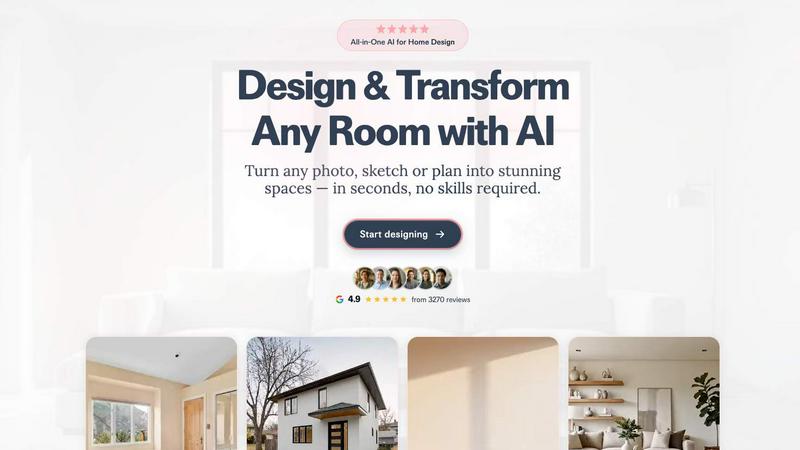
About RoomCreator
RoomCreator is an innovative AI-driven room design tool that empowers homeowners and DIY enthusiasts to visualize their spaces with remarkable ease and accuracy. By simply uploading a photo of any room—be it a kitchen, bedroom, or living area—users can receive stunning, realistic redesigns in as little as 10 seconds. This tool eliminates the need for extensive design skills or costly consultations, making it accessible to anyone looking to enhance their living environment. With features that allow for instant layout adjustments, color changes, and furniture arrangements, RoomCreator serves as both a creative outlet and a practical solution for quick renovations. From homeowners looking to reimagine their spaces to real estate agents needing eye-catching visuals, RoomCreator is a versatile platform that transforms ideas into reality swiftly and efficiently. It is perfect for small spaces or for testing out design concepts before making any purchases, ensuring that users can make informed choices to turn their visions into dream spaces.
Features of RoomCreator
AI Room Design in 10 Seconds
With RoomCreator, you can upload a single photo and receive a fully redesigned room in just 10 seconds. The AI technology analyzes your space and offers creative solutions that suit your style, allowing for rapid ideation and visualization.
Smart Layout Adjustments
The tool provides intelligent layout suggestions that enhance the flow and functionality of your space. Whether you are working with a small apartment or a larger home, RoomCreator helps you make the most of your area by optimizing furniture placement and traffic patterns.
Instant Color and Furniture Changes
RoomCreator allows users to experiment with various wall colors, flooring options, and furniture arrangements instantly. This feature enables you to visualize how different elements will look together, making it easier to decide on the perfect design for your room.
Realistic 3D Previews
Experience hyper-realistic 3D previews that incorporate natural lighting to give you a true sense of how your redesigned space will feel. This feature elevates the design process, enabling you to make confident choices based on realistic simulations of your home.
Use Cases of RoomCreator
Homeowners Seeking Renovation Ideas
Homeowners can utilize RoomCreator to explore potential renovations without the commitment of purchasing new furniture or paint. By visualizing different styles and layouts, they can make informed decisions that reflect their personal tastes.
Real Estate Agents Enhancing Listings
Real estate agents can leverage RoomCreator to create visually appealing listings that stand out in a competitive market. By transforming empty or outdated spaces into beautifully staged interiors, they can attract potential buyers and lead to quicker sales.
Investors Evaluating Property Potential
Individual investors can use RoomCreator to assess the renovation potential of properties they are considering for purchase. By generating realistic visuals, they can showcase future value and appeal to prospective renters or buyers.
Designers Presenting Concepts
Interior designers can use RoomCreator as a powerful tool to present their vision to clients. With the ability to create stunning visualizations quickly, designers can iterate on concepts and provide clients with a clear picture of the proposed designs.
Frequently Asked Questions
How does RoomCreator work?
RoomCreator works by allowing users to upload a photo of their room. The AI analyzes the image and generates a redesigned space in seconds, offering various styles and features for easy customization.
Do I need design skills to use RoomCreator?
No, RoomCreator is designed for everyone, regardless of design experience. The platform is user-friendly and intuitive, making it accessible for homeowners, real estate agents, and DIY enthusiasts alike.
Can I use RoomCreator for exterior designs?
Yes, RoomCreator includes an exterior paint color visualizer, allowing users to test different styles, colors, and materials for their home's exterior, helping to enhance curb appeal before any renovations.
Is there a cost to use RoomCreator?
RoomCreator offers a free trial with 10 credits, allowing users to explore the tool's features without needing to enter payment information. Additional credits can be obtained for continued use.
Similar to RoomCreator

SightRadar
Face recognition API, a drop-in replacement for AWS Rekognition. Index, search, compare and detect faces, billed per photo with no subscription.

Orlyn
Privacy-first, cookieless web analytics that ties your traffic and marketing channels to real Stripe revenue.

CubexSoft EML Converter
Convert EML Files to PST, PDF, EML, MBOX, CSV, Gmail, IMAP, Thunderbird, and more.

Egmatic
No-code 2D game editor: visual node logic, drag-and-drop scenes, live preview. Exports to Windows, macOS, Linux, Android, iOS, Web.

Gamespad taster
Gamepad Tester Pro is an online tool for testing and checking game controllers directly in the browser. It helps users verify controller buttons, anal

Tally counter
Online tally counter for tracking attendance, workouts, inventory, sports scores, visitors, habits, and everyday counting tasks.