

Alternatives to Subclip
Subclip streamlines video editing by using AI to automate captions, dubbing, and noise removal, saving you time and enhancing your content.
8 alternatives found

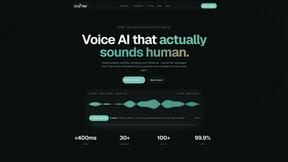
Oravaa
Oravaa's Voice AI solves lead abandonment and 24/7 support by instantly calling, qualifying, and scheduling across 30+ languages.

Hush Touch | Voice-to-Text for MacOS
Hush Touch is an offline voice-to-text app for Mac that learns your vocabulary, ensuring accurate, real-time dictation.

Glossa
Glossa provides real-time AI translation of sermons in over 100 languages, enabling churches to connect globally.

Bantr: Offline & Unlimited TTS for Mac
Bantr creates unlimited, private text-to-speech voiceovers fully offline on your Mac.

KaiCalls
KaiCalls is your 24/7 AI voice agent that instantly answers calls, qualifies leads, and books appointments for your.

Vowen
Vowen turns your voice into text and actions, streamlining productivity with seamless automation and privacy.

Bargou One
Stop language and creation barriers with Bargou One's all-in-one AI toolkit for writing, translating, and transcribing.
About Subclip Alternatives
Subclip is an AI-powered video editor that simplifies the editing process for creators, marketers, and educators alike. By enabling users to edit videos in a document-like format, Subclip streamlines complex tasks such as transcription, voice cloning, and multi-language dubbing into intuitive, user-friendly features. This platform is designed to save time and enhance productivity, making it a valuable tool for anyone who works with video content. Users often seek alternatives to Subclip for various reasons, including pricing considerations, specific feature sets, or compatibility with different platforms. When selecting an alternative, it's important to evaluate factors such as user interface, support for desired editing functionalities, and scalability to meet growing content demands. Understanding your unique video editing needs can help you find a solution that aligns with your workflow and enhances your content production capabilities.
FAQs about Subclip Alternatives
What is Subclip?
Subclip is an AI-powered video editing platform designed to facilitate video production for creators, marketers, and educators. It allows users to edit videos as easily as editing text documents, providing features such as voice cloning, automatic subtitle generation, and silence removal. This innovative tool aims to streamline the video editing process, making it faster and more efficient.
Who is Subclip for?
Subclip is ideal for a diverse range of users including YouTubers, podcasters, course creators, and content teams. Its user-friendly interface and powerful AI-driven features cater to both novice and experienced video editors. By simplifying the editing process, Subclip empowers users to focus on creating engaging content rather than getting bogged down by technical complexities.
Is Subclip free?
Subclip offers a freemium pricing model, which includes a free tier allowing users to explore its core features without any upfront cost. For those who require more advanced functionalities or increased usage, affordable paid plans are available. This flexible pricing structure makes it accessible for users with varying budgets and needs.
What are the main features of Subclip?
Subclip is packed with powerful features designed to enhance the video editing experience. Key functionalities include AI-driven transcription, automatic subtitle generation, voice cloning that allows users to re-record parts of their videos, and the ability to remove silences and filler words with a click. Additionally, it supports multi-language dubbing while preserving background music, making it a versatile tool for global content creation.